
MRUnited States · Trustpilot, 24 Nov 2026
“Great indicator! Wonderful customer service! Very responsive!”
 Full review
Products
PFT TerminalFree futures trading journal · Trader from €30/moATAS IndicatorsOrder flow indicators for ATAS · monthly subscriptionProp Firms with High Discounts18 futures prop firms compared, with discount codesPFT CraftYour idea built as an ATAS indicatorLearn
Trading courseOrder flow course from a trader who trades every dayResourcesGuides on order flow and prop firmsDiscord communityFree · 700+ futures tradersFree calculatorsFutures, win rate, Monte Carlo, drawdown, consistencyCompany
CareersApply to work with usPartner dealsPartner discounts on trading toolsSupportGet an answer from a humanKnow where you want to watch the market react before the session opens. Fixed reference zones, the same every day.
Available on

From your plan before the open to the colour legend: what each part does for your trading.
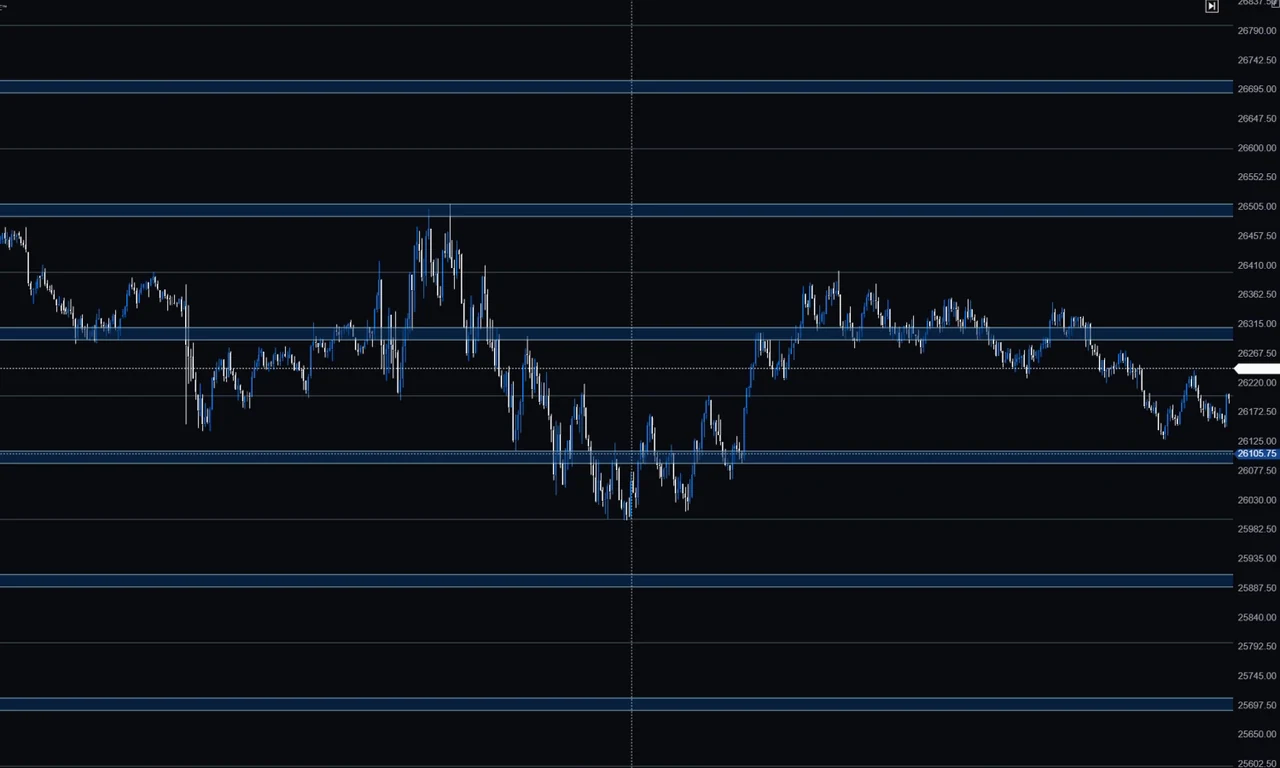 Plan your session before the openEvenly spaced bands across the whole chart, with a line exactly halfway between two neighbouring zones.
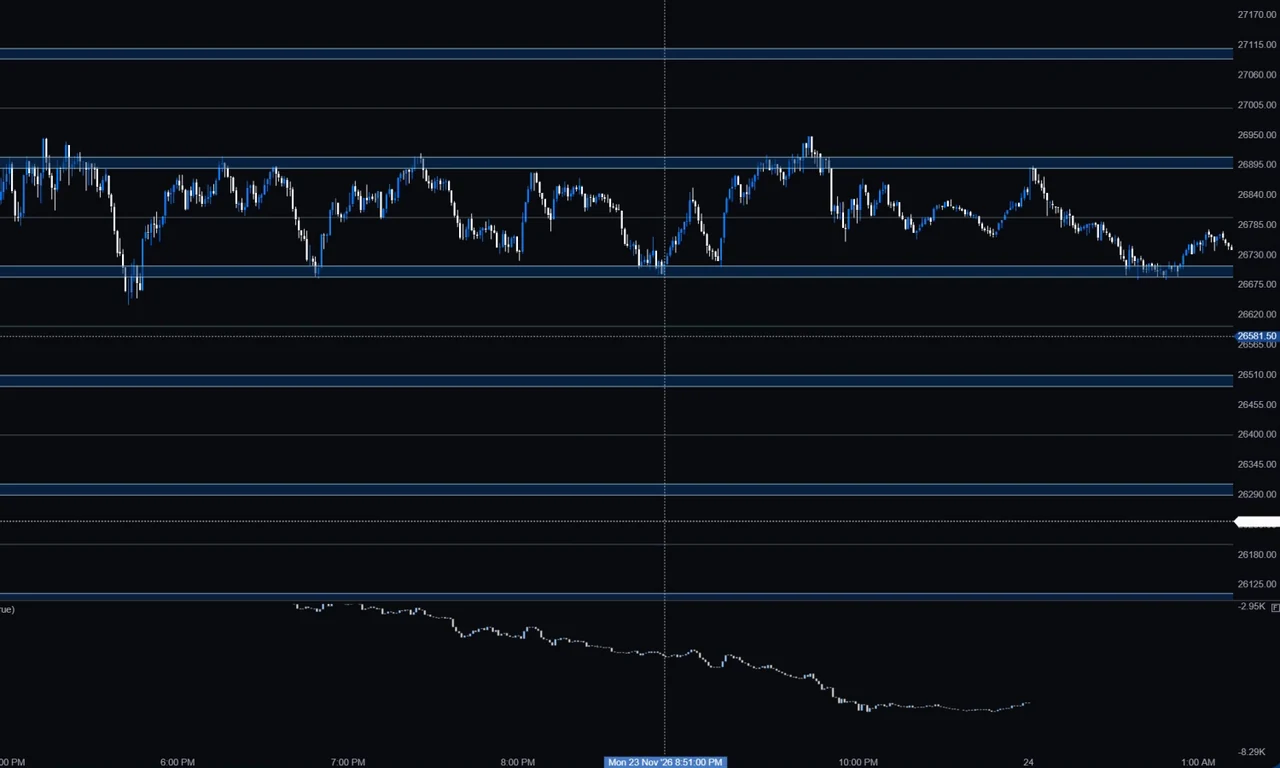 Know where to read the order flowUse the zones as fixed reference prices and read price at the zones together with the order flow below.
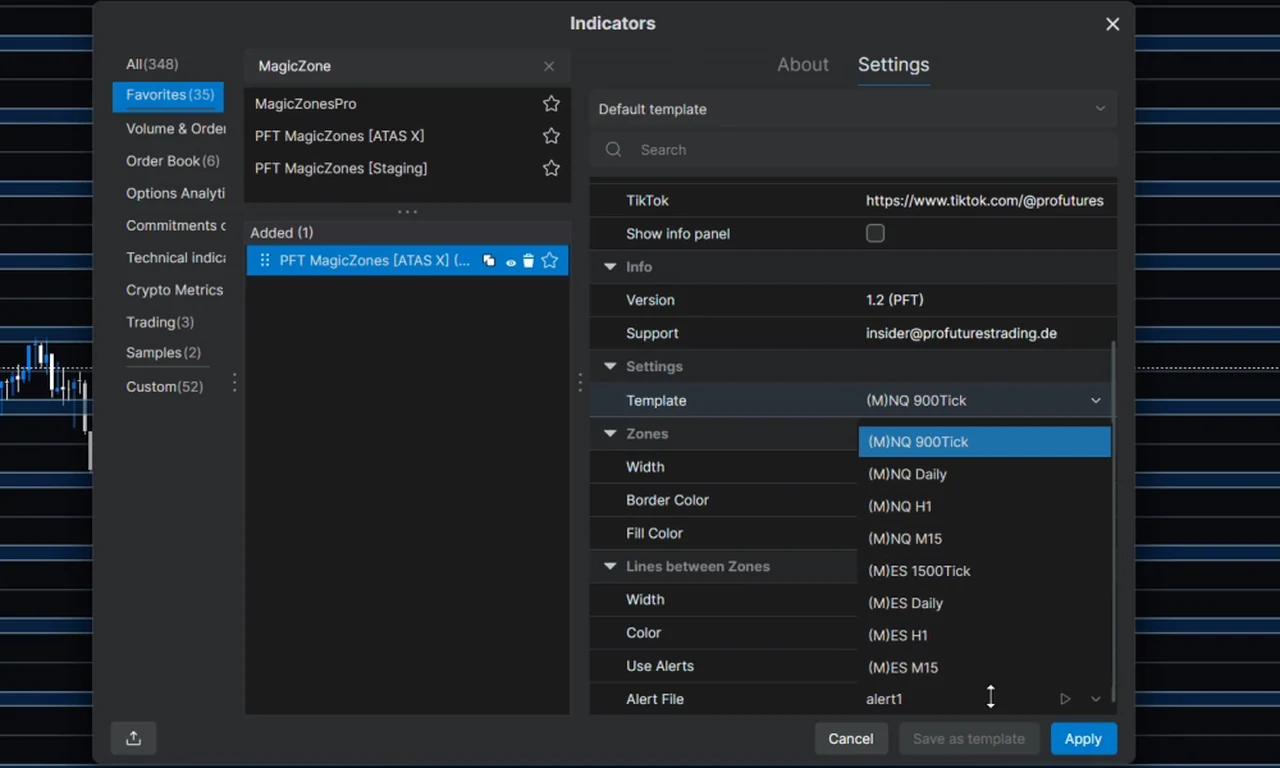 No levels to draw yourselfPick one of the eight NQ and ES templates and the grid follows.
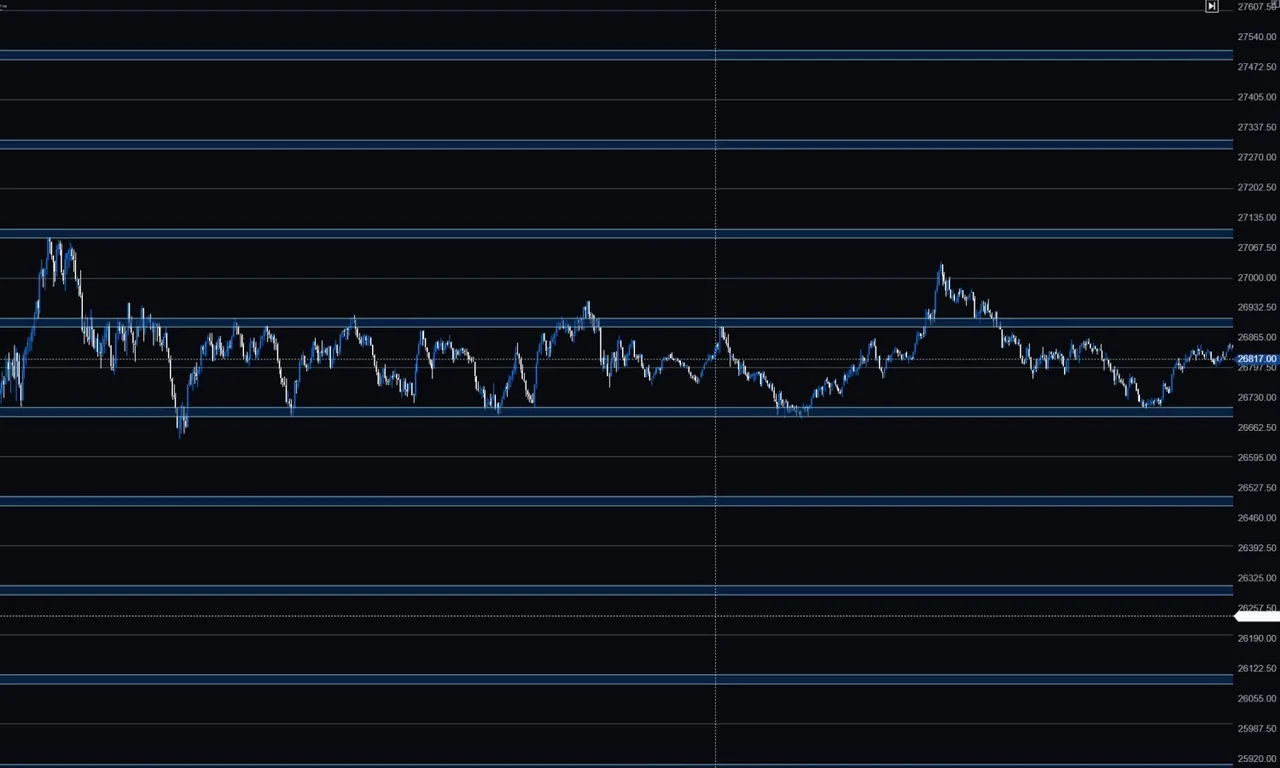 The bigger picture on H1On the NQ H1 template the zones sit every 200 points instead of every 50.
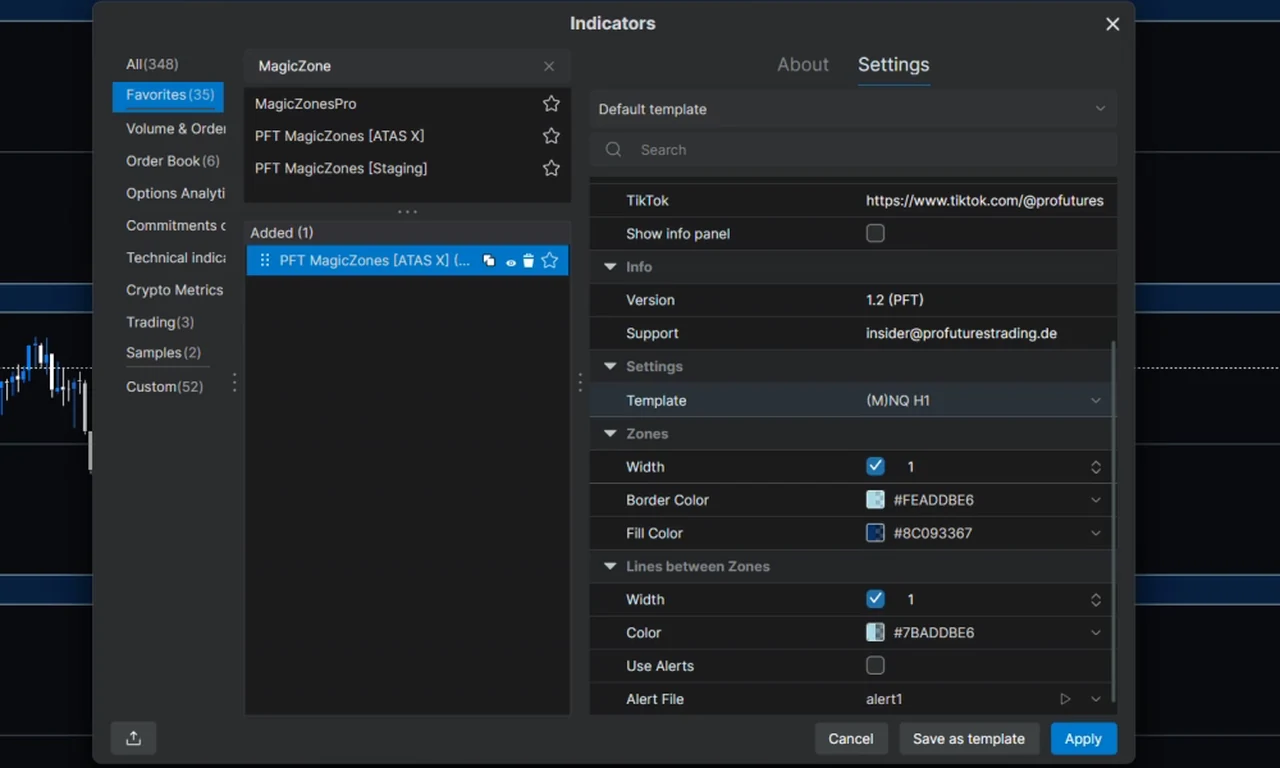 Make it fit your chartWidth and colour of the zone border, the zone fill and the lines can be changed.
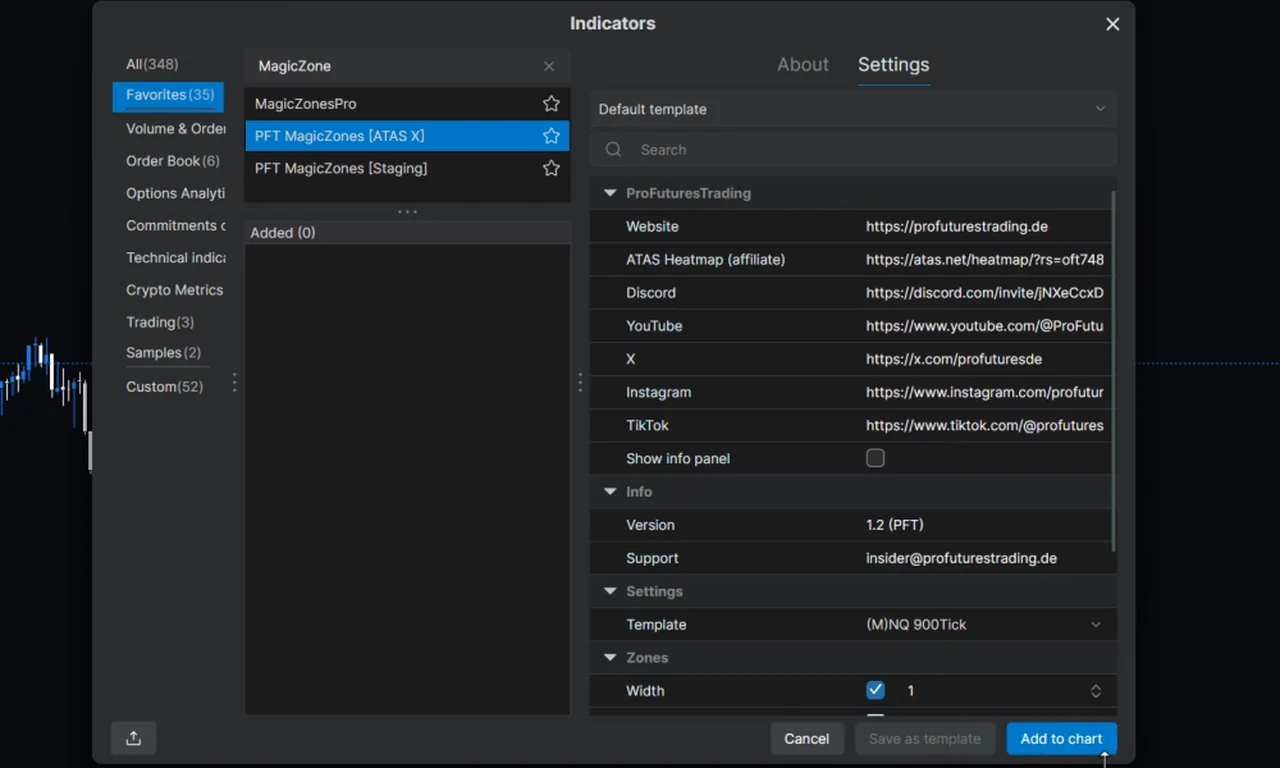 Know what every colour meansOn ATAS X an optional info panel shows a legend of the colours, and the settings show the version.
All in one
Eight templates, reference lines, your own colours and an optional line alert, ready before the session opens.
Filled bands across the whole chart at a fixed spacing in points, set by the template you pick.
A line sits exactly halfway between two neighbouring zones, so you get a reference price in between.
(M)NQ and (M)ES, from tick charts to daily. The default is (M)NQ 900 Tick.
Width and colour of the zone border, the zone fill and the lines can be changed.
With Use Alerts on, ATAS plays your sound file when a candle high or low is exactly the price of a line. Off by default.
On ATAS X an optional info panel shows a legend of the colours. The version is shown in the settings.
Runs on
Reviews from Trustpilot
Check what other traders are saying about our indicators.
“I was struggling all the time with journaling. It took a lot of time and many times I forgot the trades which I was in. Now my life got easier.”
ShortenedGet started
From checkout to your chart in three steps. PFT MagicZones runs on ATAS and ATAS X.
Use it in 3 steps
The way Ulrich walks through it in the full tutorial below.
4:40 min walkthrough
From download to your first chart: PFT MagicZones in ATAS and ATAS X, step by step.
How we use it in our own trading, shown on a real trade from context to entry.
The settings that matter and the details that make MagicZones work best for you.
Pricing · all prices net
Runs on
FAQ
No. The zones are a fixed grid. They use no order flow, no volume and no options data.
No. Spacing and zone width are fixed per template and cannot be changed. Width and colour of the borders, the fill and the lines can be changed.
No. You choose the template yourself, and an NQ template on an ES chart still draws the NQ spacing.
Only on an exact touch. With Use Alerts on, ATAS plays your sound file when the high or the low of a candle is exactly the price of a line. It is off by default.
No. It draws zones and lines and gives no signals.
ATAS Classic and ATAS X, with one licence for both.
An ATAS account. The licence is activated on it, so it has to exist before you buy, and you enter its email address at checkout.
Enter the email address of your ATAS account at checkout. MagicZones is then unlocked for that account. In ATAS open Menu, Settings, Custom modules, install it and apply, then add it to your chart under Indicators, Custom. The full tutorial above shows every step.
Updates arrive automatically inside ATAS.
Next step
All six order flow tools for ATAS in one subscription, €120 a month, net.
Test any tool for €10 · 1 day