

ATAS Option Board and Options Strategy Analyzer: How to Use Them
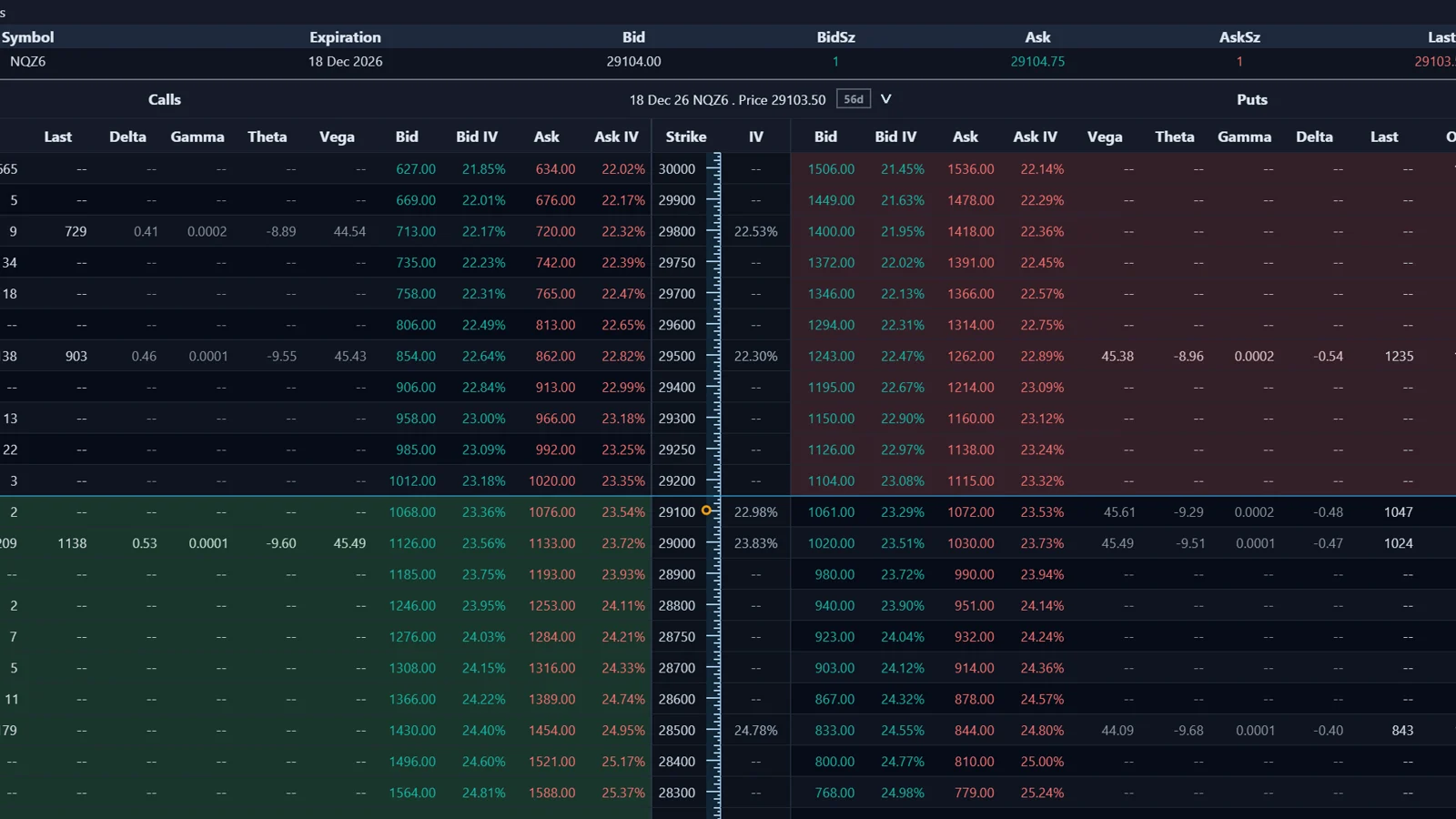
The Option Board in ATAS lists the options of an underlying such as a futures contract or a stock, calls on the left and puts on the right, with bid, ask, last and Greeks per strike. The Options Strategy Analyzer opens from it and models the profit or loss of single options, multi-leg strategies and combinations with the underlying. Both need options data from Rithmic or Interactive Brokers.
What do I need before opening the Option Board?
A connection that supports options for the selected underlying. ATAS states that Rithmic or Interactive Brokers is required.
Available options, expirations and calculated values depend on the account, the connector, the instrument and your market data permissions. On the ATAS pricing page as of October 2026, the Option Board and the Strategy Analyzer are included in the Pro and Ultra plans. Check the current comparison on atas.net.
How do I open and configure the Option Board?
- Open the Option Board window.
- Select the account you want to use; ATAS checks whether options can be displayed for that account and connector.
- Select an option series, which is a group of options with the same expiration.
- Review the table for the selected underlying contract.
How do I read the Option Board table?
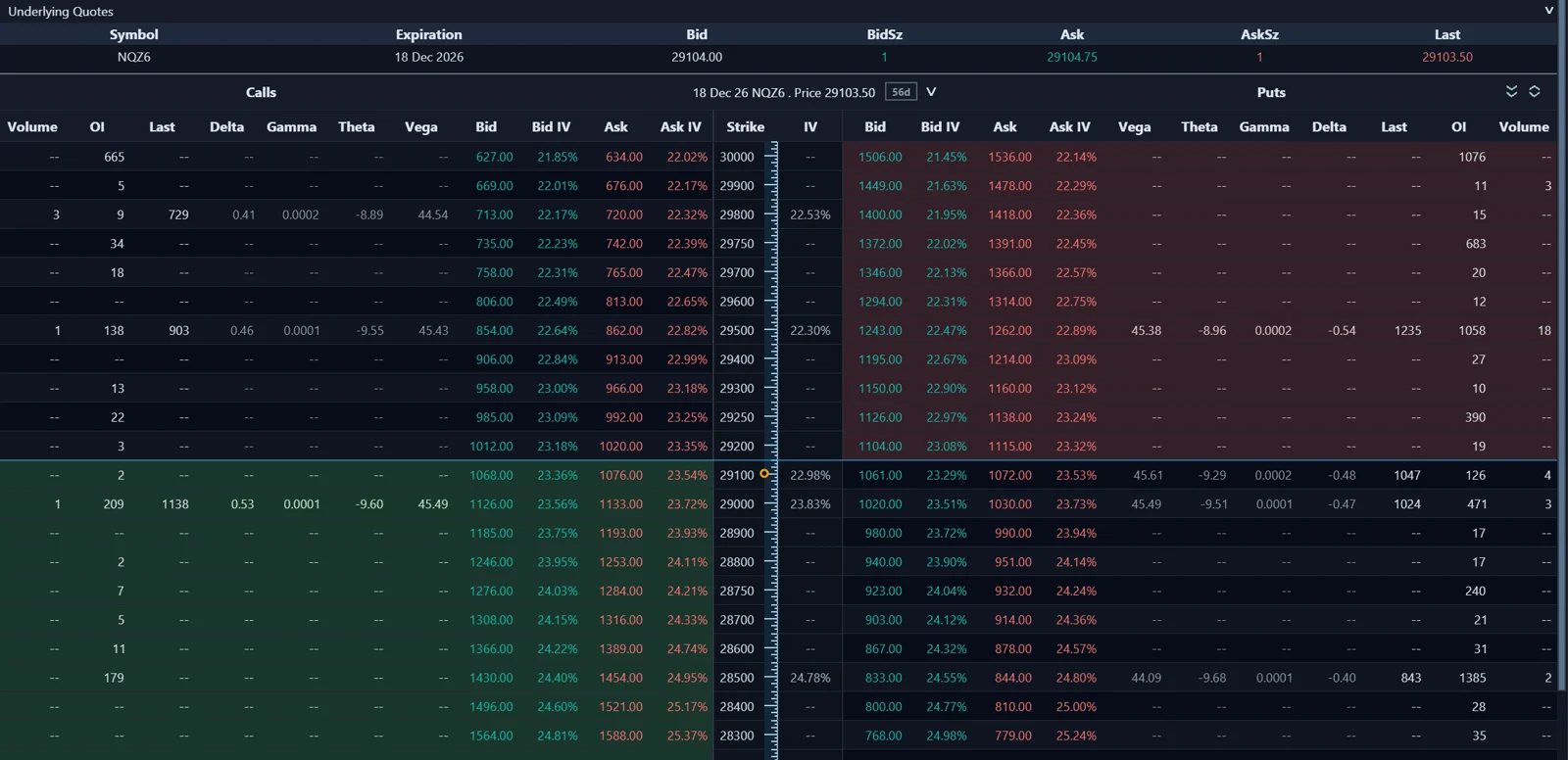
The top area shows bid, ask and last of the underlying. Below, each row is a strike, with calls left and puts right.
| Column or feature | What it shows |
|---|---|
| Bid, Ask, Last | Current bid, current ask and last traded price of the option |
| Delta, Gamma, Theta, Vega | Greeks, available if the connector provides them |
| In-the-money highlighting | Calls with strike at or below the underlying price, puts with strike at or above it |
| Strike count slider | How many strikes above and below the current price are shown |
| Option series types | Filter by daily, weekly, monthly or other series |
| Number of nearest contracts | How many nearest expirations are shown |
If the connector does not provide a value, ATAS shows an empty field or a dash. You can also display all available expirations, collapse or expand series, and sort strikes by clicking the strike column.
What does the Options Strategy Analyzer do?
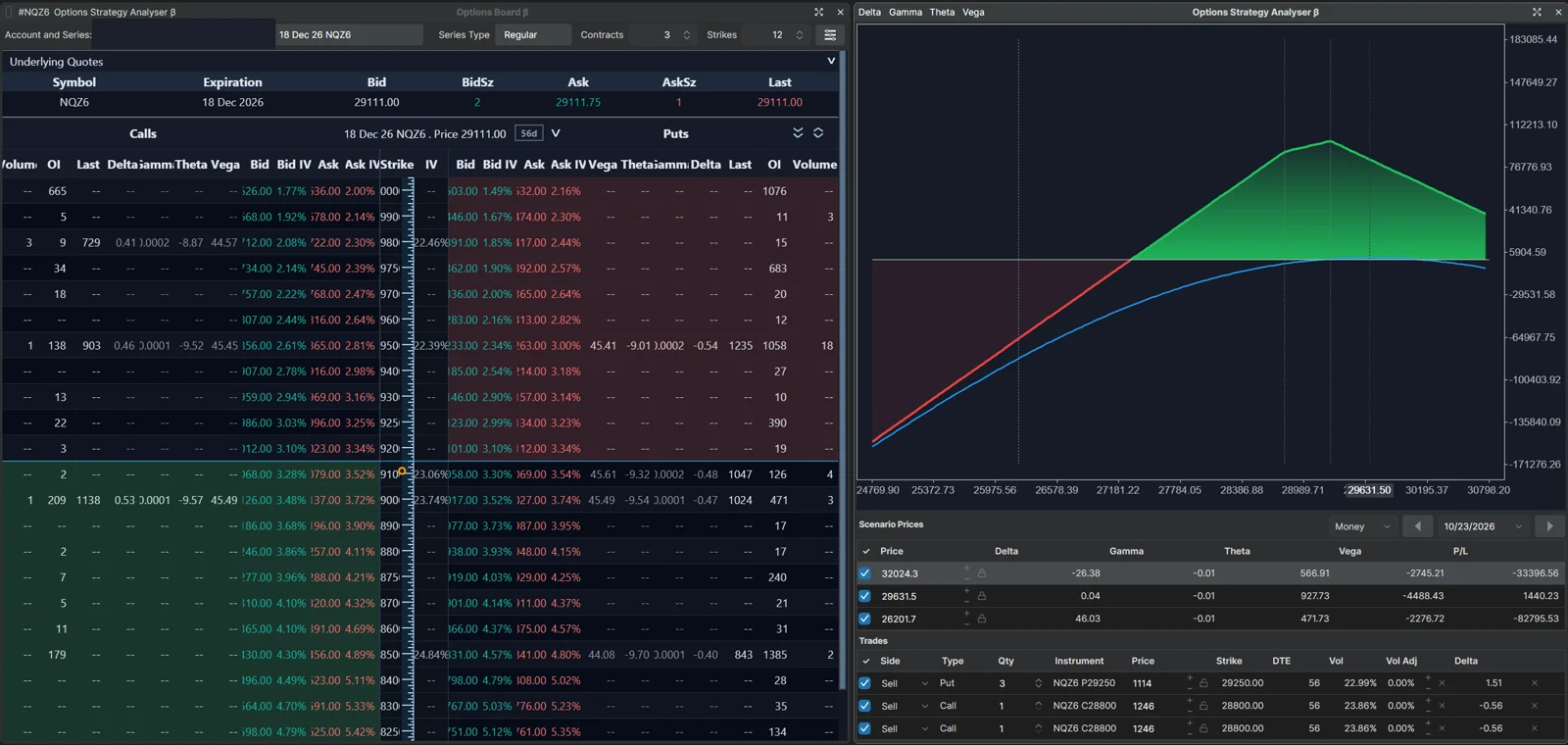
It models the profit or loss of a position across underlying prices, dates and volatility. It is empty until you add instruments.
You open it from the Option Board, select an account and series, then drag an option into the module. Dragging from the ask side models a purchase; you can switch any leg between buy and sell, change quantity, and add a buy or sell position in the underlying, such as the futures contract. Each leg shows direction, type, quantity, entry price, strike, days to expiration, volatility and delta.
How do I read the P&L chart?
The horizontal axis is the underlying price and the vertical axis is profit or loss, the reverse of a normal price chart.
| Element | Meaning |
|---|---|
| Expiration P&L line | Estimated result if the underlying is at that price at expiration |
| Current P&L line | Estimated result if the underlying moves to that price now |
| Breakeven | Where the expiration line crosses zero; for a long call roughly strike plus premium paid |
| Scenario prices | Three rows by default: current price, plus 10% and minus 10%, with Delta, Gamma, Theta, Vega and P&L each |
| Money or Points mode | Results in currency or in points of the underlying |
Which inputs can I change?
- Volatility: ATAS uses the current value by default; you can set it manually to see the strategy under other assumptions.
- Analysis date: move it forward to estimate how the position may look in several days if price and volatility stay the same.
- Entry price: lock it to your actual fill, or unlock it to follow the market value.
- Scenario prices: edit them or drag them on the chart; an edited price stays locked.
- Greeks on the chart: optionally plotted against the underlying price.
ATAS calls the module a modeling tool: results depend on the selected prices, volatility, date, scenarios and available data, and are not recommendations. The value for a futures trader who never trades options is educational. Building a short call spread around a wall and moving the analysis date shows directly why time decay and gamma matter to whoever holds that position.
How does this relate to the options indicators?
The Option Board shows the raw chain, with Greeks as the connector provides them. The Options Chain indicators aggregate the same kind of data by strike and draw it on the chart; for those, ATAS states that it calculates implied volatility and Greeks from the option prices. Both depend on the same options-capable connection, so the Option Board is a quick way to see whether options data arrives at all.
FAQ
Why does the Option Board show dashes instead of Greeks?
The connector does not deliver that value for the selected option. ATAS shows an empty field or a dash in that case.
How do I limit the board to the next few expirations?
Set the option series types, for example weekly only, and the number of nearest contracts. With a value of 3, the board shows the three nearest expirations of the selected types.
Why do the two P&L lines differ?
Options are nonlinear. Reaching a price today and reaching it at expiration produce different results, because time value and volatility still matter before expiration.
Does the Strategy Analyzer work without live data?
It needs option prices and volatility from the connector. Results depend on that data.
This article is educational content, not financial advice.