

ATAS Options GEX Profile: Gamma Exposure on Your Futures Chart
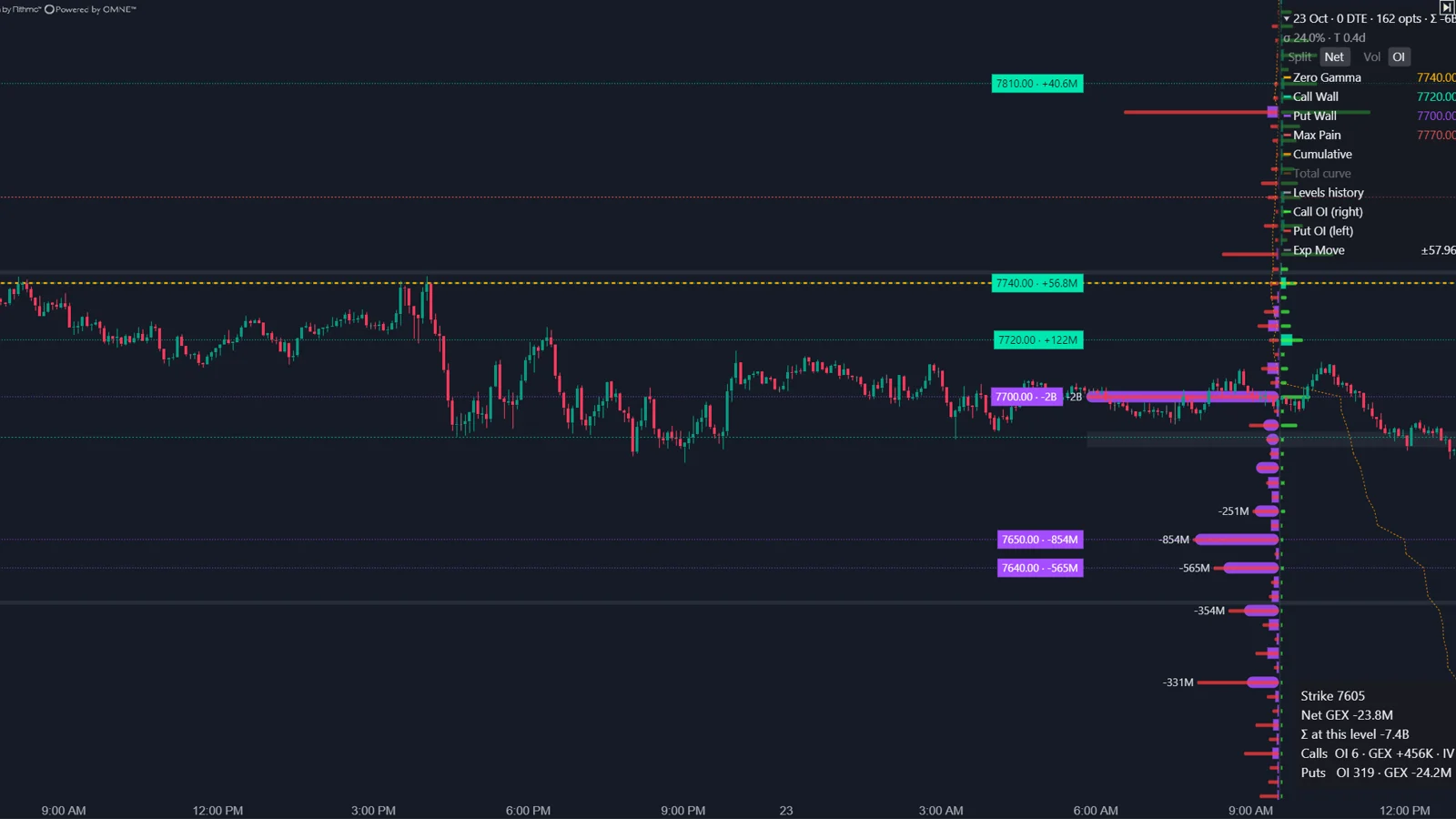
The ATAS Options GEX Profile draws gamma exposure by strike next to the futures chart, with zero gamma, call and put walls, max pain and expected move zones as optional overlays. ATAS calculates gamma per option contract from live option data and scales each strike to dollars per 1% move. Walls and zero gamma always come from open interest.
What does the Options GEX Profile show?
A horizontal profile with one row per strike: positive gamma exposure on one side of the axis, negative on the other.
ATAS describes the purpose as showing where market maker hedging may dampen or amplify price movement. In a positive gamma environment, hedgers often trade against the move. In a negative gamma environment, they may trade in the direction of the move. The indicator belongs to the Options Chain suite and reads options data from your Interactive Brokers or Rithmic connection, so it works on any instrument for which that connection delivers options, for example ES, NQ, CL or GC.
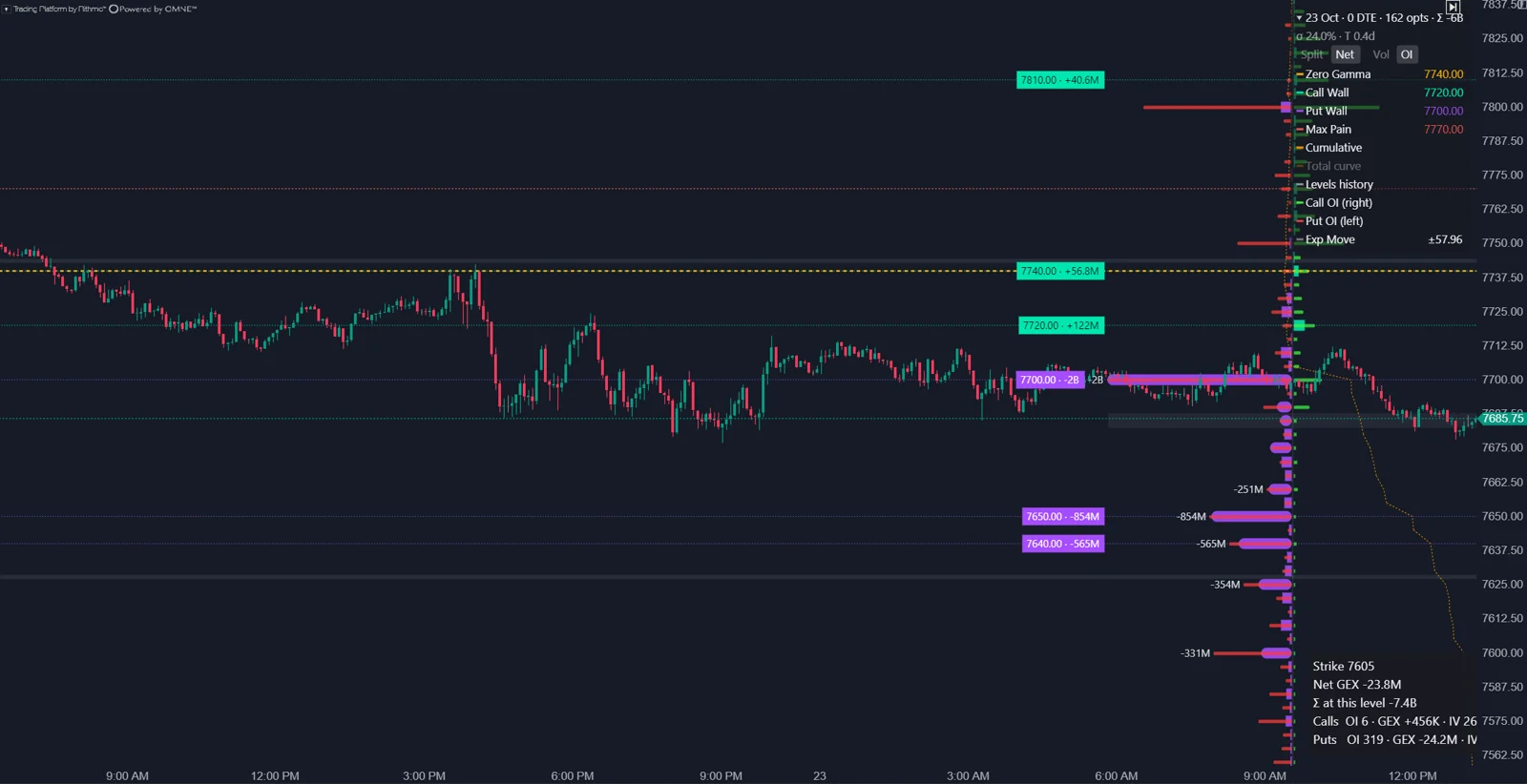
From practice: in the author's own setup in October 2026, the Options Chain indicators run in ATAS X and receive CME E-mini S&P 500 (ES) options through a Rithmic connection. This is the author's experience, not a statement from ATAS.
Which gamma values does the indicator use?
Gamma calculated by ATAS for each subscribed option, turned into exposure per strike.
- Gamma per contract: calculated in ATAS from live option data. Implied volatility comes from the option prices.
- Strike contribution: gamma, position size, contract multiplier and underlying price, according to ATAS.
- Sign: calls and puts use the standard sign convention for gamma exposure.
- Unit of the bars: dollars per 1% move of the underlying.
- Position size: open interest or current session volume, depending on the Source setting.
A widely used formulation per strike is gamma times open interest times contract multiplier times the underlying price squared times 0.01. ATAS names the same ingredients and the same unit but does not publish its exact formula, its pricing model or how it locates zero gamma. Compare shapes and level positions, not absolute dollar figures, when you hold the profile against another service.
Day Volume or Open Interest: what changes?
Only the bars. Walls, zero gamma and the levels shared with Options Key Levels are always calculated from open interest.
| Source | What the bars show | Use it for |
|---|---|---|
| Open Interest | Accumulated positions from the previous close | Structural exposure, levels for the day |
| Day Volume | Gamma weighted by current session volume | Where today's trading concentrates, including 0DTE |
ATAS made this split deliberately, so that the GEX Profile and Options Key Levels always name the same strikes as walls. The consequence for you: switching to Day Volume can make the bars look very different while the wall lines stay where they are. Volume also carries no side, so a large volume bar is activity, not a known dealer position.
How are zero gamma and the walls defined?
| Element | Definition in ATAS |
|---|---|
| Zero Gamma | The area where the gamma regime changes. Above it, range-bound behavior may be more likely; below it, directional movement may become more active. |
| Walls | Strikes with the strongest positive or negative gamma exposure, always from open interest. |
| Cumulative GEX | A running total of exposure across strikes. |
| Levels history | How zero gamma and the walls moved during the session after the indicator was added. |
Zero gamma can move during the session as option prices, volatility and volume change, even though open interest stays fixed. That is expected: gamma depends on price, time and implied volatility, so the same positions produce a different profile at a different price.
Which settings and overlays matter?
| Setting | What it does |
|---|---|
| Expiration | Auto (nearest) or a fixed date; Auto switches after expiration |
| Aggregate nearest series | Combines the nearest expirations, for example weekly and monthly |
| Strikes per side | How many strikes above and below price are included |
| Wide range (sparse) | Every second strike for a wider range; per-strike detail becomes approximate |
| Histogram | Split (calls and puts separately) or Net (one bar per strike) |
| Walls per side, Wall labels | How many walls are highlighted and labeled |
| Overlays | Total gamma curve, cumulative GEX, levels history, OI underlay, max pain line, expected move zones |
The indicator can also show an interactive legend on the chart to switch Split or Net and Vol or OI without opening the settings. Hovering over a row shows net GEX, open interest and implied volatility for that strike.
What are the limits of the GEX Profile?
- ATAS calls gamma exposure an analytical model of likely market maker hedging, not a direct view of any participant's book, and not a trade signal by itself.
- Open interest is from the previous close. Positions opened today, including 0DTE, are missing.
- The sign is assumed. If clients are net long calls at a strike, the real dealer exposure there is the opposite of the profile.
- Only subscribed strikes count. A strike outside the window is unknown, not zero.
- Levels history and other intraday visuals start when the indicator is added and do not reconstruct the earlier session.
How do I read the GEX Profile with order flow?
Use it to set expectations, then let the footprint decide. Above zero gamma, expect rotation and fades; near a large positive wall, watch for absorption of aggressive buying. Below zero gamma, expect follow-through; a move through a wall on strong delta with no absorption says the hedging, if present, was not enough. Write down which regime the profile showed before the session and compare it with how the day traded.
Options Chain GEX Profile or Options X-Ray?
ATAS maps the GEX Profile to two X-Ray tools: Strike Profile in Gamma mode for the per-strike view, and GEX Heatmap for the picture across the day. The X-Ray versions use minute-level SPX positioning split by participant group instead of the open interest assumption, but they work only on ES, MES, SPY and US 500 charts. On NQ, CL, GC and other CME futures, the GEX Profile is the ATAS option.
FAQ
Why does the GEX Profile need time after I add it?
It subscribes to many option contracts and collects quotes before it can calculate. The status chip shows the warm-up progress.
Why do my walls not change when I switch to Day Volume?
Walls and zero gamma are always calculated from open interest, by design, so they match Options Key Levels.
Why does ATAS show different GEX than another service?
Different data sources, expiration filters, strike ranges, open interest timing, volatility methods, gamma models or index-to-futures mapping. ATAS lists all of these as normal reasons.
Is positive gamma bullish?
No. Gamma describes how hedging may react to a move, not the direction of the next move.
This article is educational content, not financial advice.