

Options Tools in ATAS: Options Chain vs. Options X-Ray and Which to Use
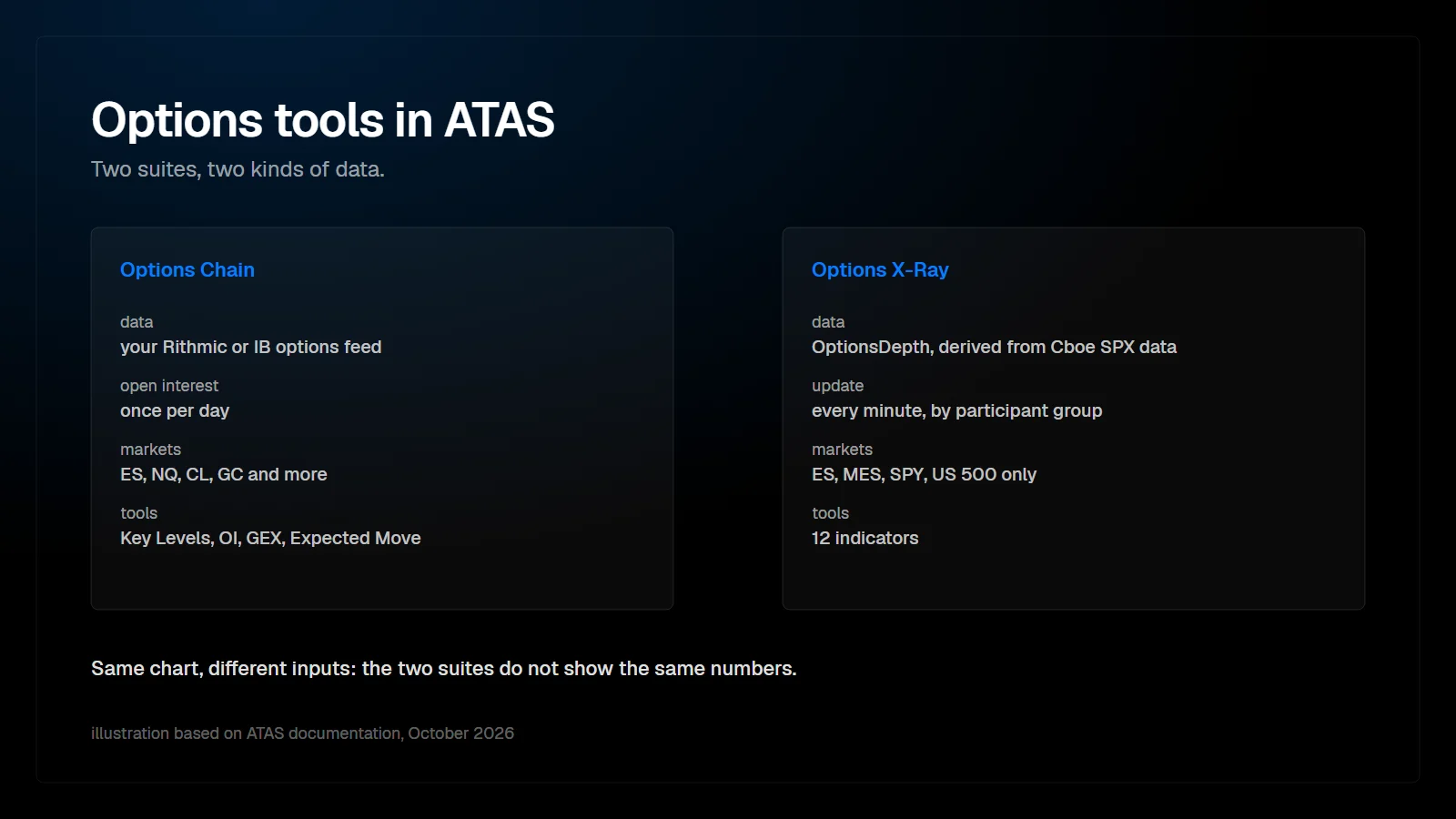
ATAS has two families of options tools. The Options Chain suite (Key Levels, OI Profile, GEX Profile, Expected Move) and the Option Board read options data from your own Rithmic or Interactive Brokers connection and work on many CME futures. The Options X-Ray suite uses minute-level SPX positioning analytics from OptionsDepth and works only on ES, MES, SPY and US 500 charts.
Product details below come from the ATAS help center, changelog and pricing page as of October 2026. ATAS updates these tools often.
Which options tools does ATAS have?
Eighteen tools in three groups: two modules, four Options Chain indicators and twelve Options X-Ray indicators. The X-Ray launch notes in October listed ten; Key Levels and Hedge Pressure were added to the help center later.
| Tool | Group | What it shows |
|---|---|---|
| Option Board | Module | Calls and puts by strike with bid, ask, last and Greeks |
| Options Strategy Analyzer | Module | Profit and loss model for single options and multi-leg strategies |
| Options Chain: Key Levels | Options Chain | Max pain, call wall, put wall and volume levels as lines |
| Options Chain: OI Profile | Options Chain | Open interest, day volume or net OI by strike |
| Options Chain: GEX Profile | Options Chain | Gamma exposure by strike, zero gamma and walls |
| Options Chain: Expected Move | Options Chain | Range priced by options until expiration |
| Options X-Ray: Key Levels | Options X-Ray | Walls, slippery zone, regime flip and 0DTE pin |
| Options X-Ray: GEX Heatmap | Options X-Ray | Damping and amplifying zones across price and time |
| Options X-Ray: Surface Profile | Options X-Ray | Gamma, vanna or charm force at each price level |
| Options X-Ray: Strike Profile (GEX/DEX/VEX/CEX) | Options X-Ray | Positions and forces by strike, by participant group |
| Options X-Ray: Strike Heatmap | Options X-Ray | How each strike gained or lost weight during the session |
| Options X-Ray: Flow | Options X-Ray | Options exposure repositioned per bar, by participant group |
| Options X-Ray: Flow Delta | Options X-Ray | Direction in which positions shifted per bar |
| Options X-Ray: Big Trades | Options X-Ray | Largest position changes by strike and participant group |
| Options X-Ray: Charm Heatmap | Options X-Ray | Expected market maker buying or selling caused by time decay |
| Options X-Ray: Hedge Pressure | Options X-Ray | Change in market maker delta since the session start |
| Options X-Ray: Expected Move | Options X-Ray | Expected move corridor, recalculated every minute |
| Options X-Ray: Market State | Options X-Ray | Summary panel of the other X-Ray readings |
Inventory from the ATAS help center folder “Options” and the ATAS pricing page, read on 23 October 2026.
What is the difference between Options Chain and Options X-Ray?
The data behind them. Everything else follows from that, which is also how ATAS explains it in its own comparison article.
| Options Chain | Options X-Ray | |
|---|---|---|
| Data source | Option quotes and open interest from your connection (Interactive Brokers or Rithmic) | OptionsDepth analytics derived from Cboe market data for SPX options |
| Markets | ES, NQ, CL, GC and other CME futures, if your connection provides options data | ES, MES, SPY and US 500 charts only |
| Update | Live quotes and day volume; open interest once per day | Once per minute |
| Who holds the positions | Not in the data; the GEX model assumes typical client behavior | Split by participant group: retail, pros, firms, brokers, market makers |
| Separate options feed | Yes, through your connection | No; the chart needs any quote source, delayed data works too |
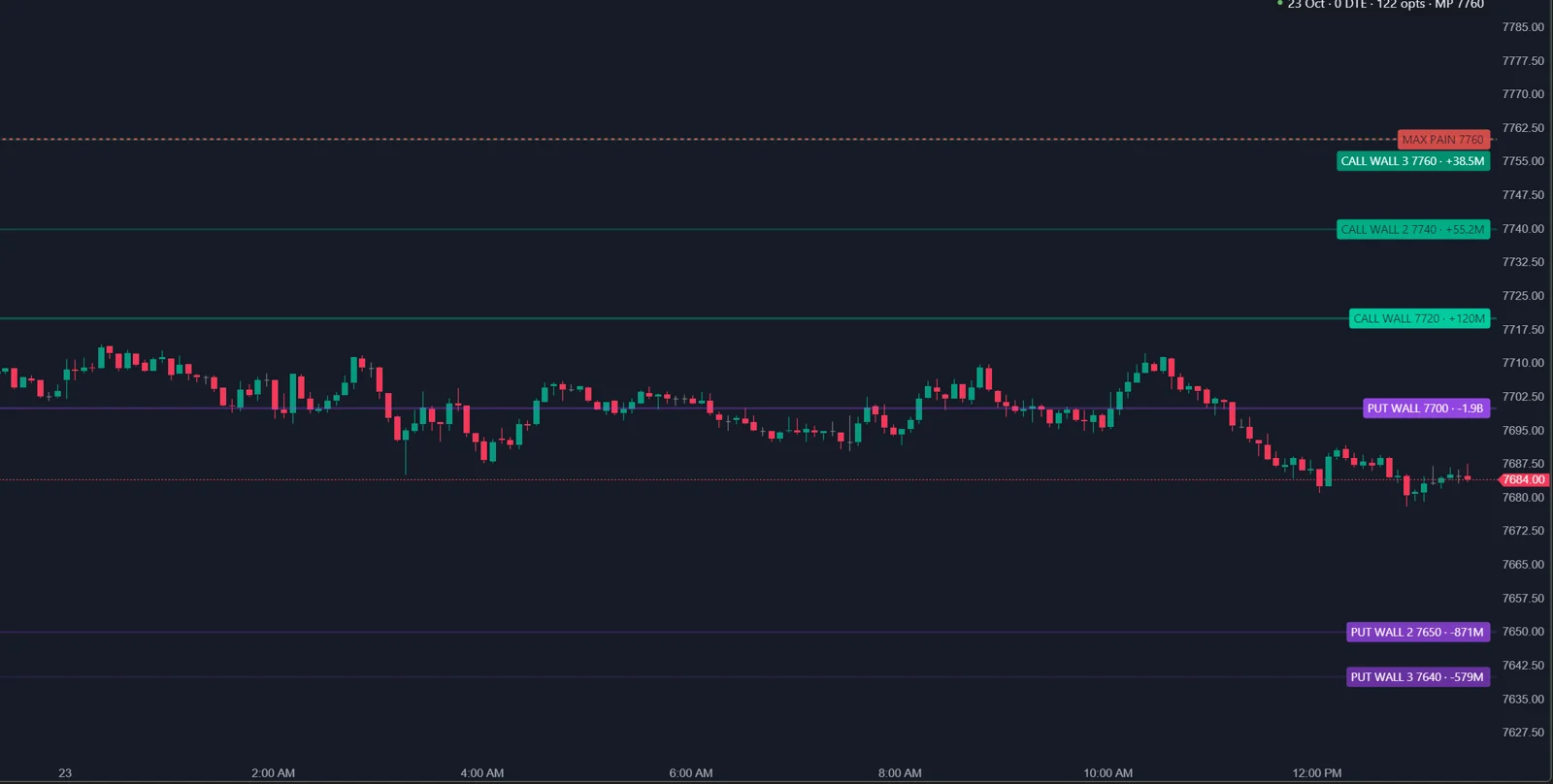
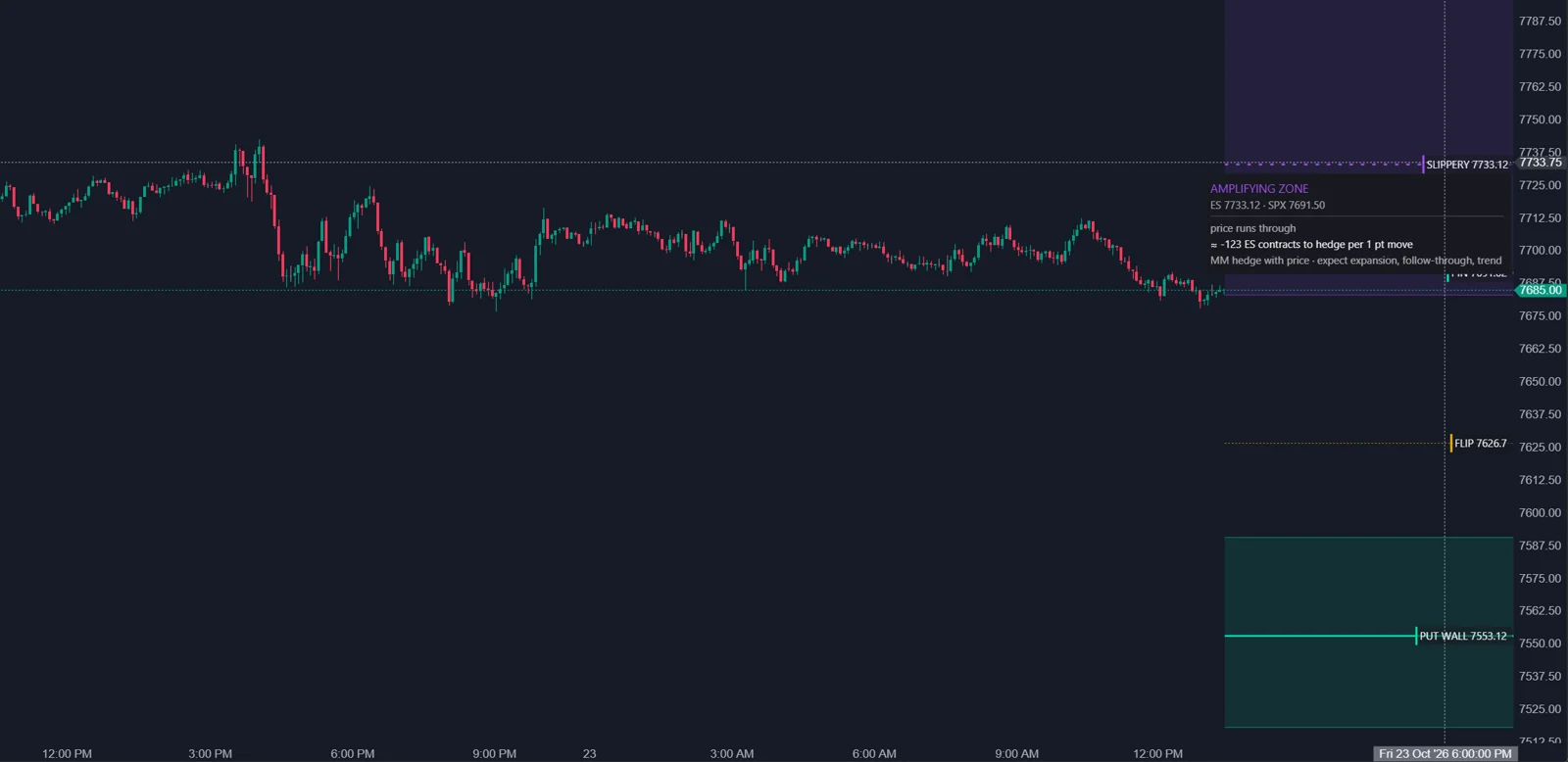
Because the inputs differ, ATAS states that the numbers of the two sets do not match, and that this is expected. A call wall from Options Chain on an ES chart and a call wall from Options X-Ray can sit at different prices on the same day without either being broken.
Which data feed do I need?
For Options Chain and the Option Board, a connection that delivers options data for the instrument. For Options X-Ray, none beyond a quote source for the chart.
ATAS names Interactive Brokers and Rithmic for the Options Chain tools. The October changelog adds that CQG, Bybit and Binance support is in development. Whether options data actually arrives depends on the provider, your account permissions, the instrument and your market data subscription. From practice: in the author's own setup in October 2026, both suites run in ATAS X, and the Options Chain indicators receive CME E-mini S&P 500 (ES) options through Rithmic. That is the author's experience, not a statement from ATAS. The separate guide on data feeds and open interest goes through the details and the common traps.
Which ATAS plan includes the options tools?
On the ATAS pricing page as of 23 October 2026, the Option Board, the Options Strategy Analyzer and the Options Chain suite are included in Pro and Ultra. The Options X-Ray suite is included in Ultra only. The Options X-Ray help articles also describe it as a separate package that has to be enabled in your account. Plans change, so check the current comparison on atas.net before you decide.
Which tool answers which question?
| Question | Options Chain | Options X-Ray |
|---|---|---|
| Where are large options positions? | OI Profile | Strike Profile in DEX mode, Strike Heatmap |
| Where may hedging slow price down or speed it up? | GEX Profile | GEX Heatmap, Surface Profile |
| Which levels should I mark before the session? | Key Levels | Key Levels |
| Where may price be pulled into expiration? | Max Pain in Key Levels | Pin in Key Levels |
| What range is priced in? | Expected Move | Expected Move |
| Who is trading options right now? | Not available | Flow, Flow Delta, Big Trades |
| What may time decay force market makers to do? | Not available | Charm Heatmap |
| How much hedging has built up since the open? | Not available | Hedge Pressure |
| What is the overall options picture? | Not available | Market State |
Does Options X-Ray show the real dealer hedging?
It shows market maker positioning in SPX options derived from exchange data. The hedging itself is still a model.
OptionsDepth states that its market maker positioning is based on participant-tagged exchange data from Cboe, not inferred from bid and ask spreads or tape heuristics. That is the real difference to an open interest model, which has to guess which side dealers hold. What X-Ray derives from those positions, such as ES contracts to hedge per point, assumes market makers hedge their delta in futures, and ATAS describes the market maker side as the counterparty of the tagged client groups. The X-Ray maps and profiles word their hedging values with “may need to”. The Strike Profile guide covers this in detail.
How do options levels fit an order flow workflow?
As context, not as entries. Every Options X-Ray help article gives the same advice: confirm entries with tape, clusters and delta.
- Before the session: mark walls, the regime boundary and the expected move range.
- During the session: when price reaches a level, read the footprint. Absorption at a damping wall fits the model; acceptance through it on strong delta does not.
- After the session: note whether the day behaved like the regime the tools described, and keep that record next to your trades.
The mechanics behind these levels are covered in two general articles: what gamma exposure means for ES and NQ, and how zero gamma, the call wall and the put wall are derived.
Where does PFT fit in?
The PFT Market Suite is a set of ATAS indicators that runs on the same charts as the ATAS options tools. PFT Forge is an options module in development for ES and NQ levels. It is not released, and there is no price or date yet; the options page has the waitlist.
FAQ
Do I need to trade options to use these indicators?
No. ATAS states that you do not need to open or trade options. The indicators draw options context on the chart of the underlying instrument.
Does Options X-Ray work on NQ, CL or GC?
No. On other instruments the X-Ray indicators draw nothing and show a chip saying they are for ES, MES, SPY and US 500 charts only. For other CME futures, ATAS points to the Options Chain tools.
Why do Options Chain and Options X-Ray show different levels?
They use different data: daily open interest and an assumption about client behavior in Options Chain, minute-level positioning by participant group in Options X-Ray. ATAS calls the difference expected.
Can I use Options X-Ray with delayed futures data?
According to the ATAS changelog, the chart needs a connection to any quote source and delayed data works too. The options data itself comes with the X-Ray package.
This article is educational content, not financial advice.