

ATAS Options OI Profile: Open Interest by Strike on Your Chart
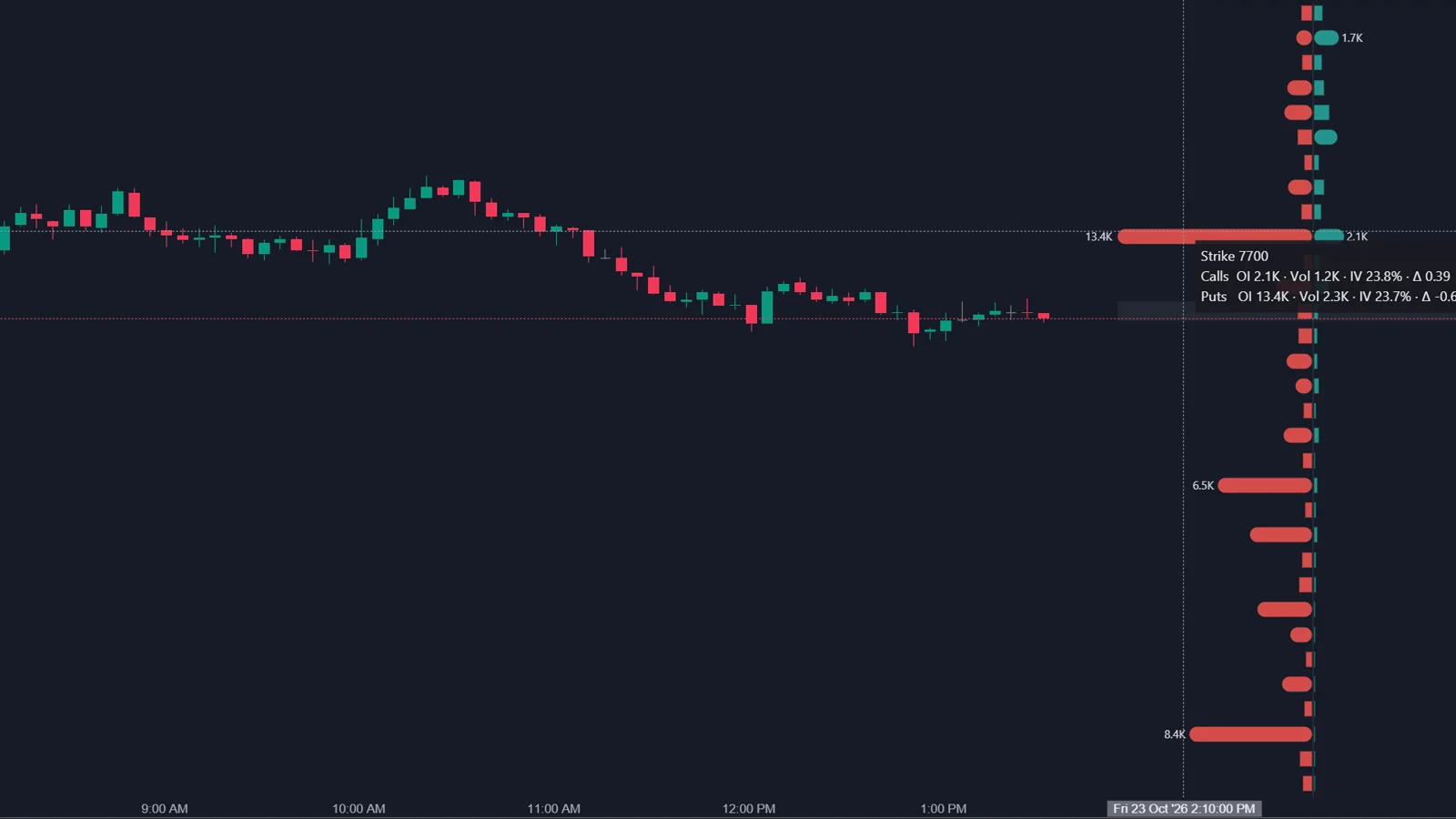
The ATAS Options OI Profile draws options open interest or day volume by strike as a profile on the chart of the underlying. Calls and puts can be mirrored on either side of an axis, and a third mode shows net open interest, calls minus puts. The values come straight from your options data feed, and ATAS notes that the profile itself does not require model assumptions.
What does the OI Profile show?
Where options positions or options trading are concentrated, strike by strike.
In the mirrored view, call bars sit on one side of the axis and put bars on the other; the longer the bar, the larger the value at that strike. ATAS describes large clusters as places where many participants have exposure around the same strikes. A large put area below price can mark a zone of protection or potential support, and a large call area above price a potential resistance area. Hovering a bar shows open interest, volume, implied volatility and delta for calls and puts at that strike.
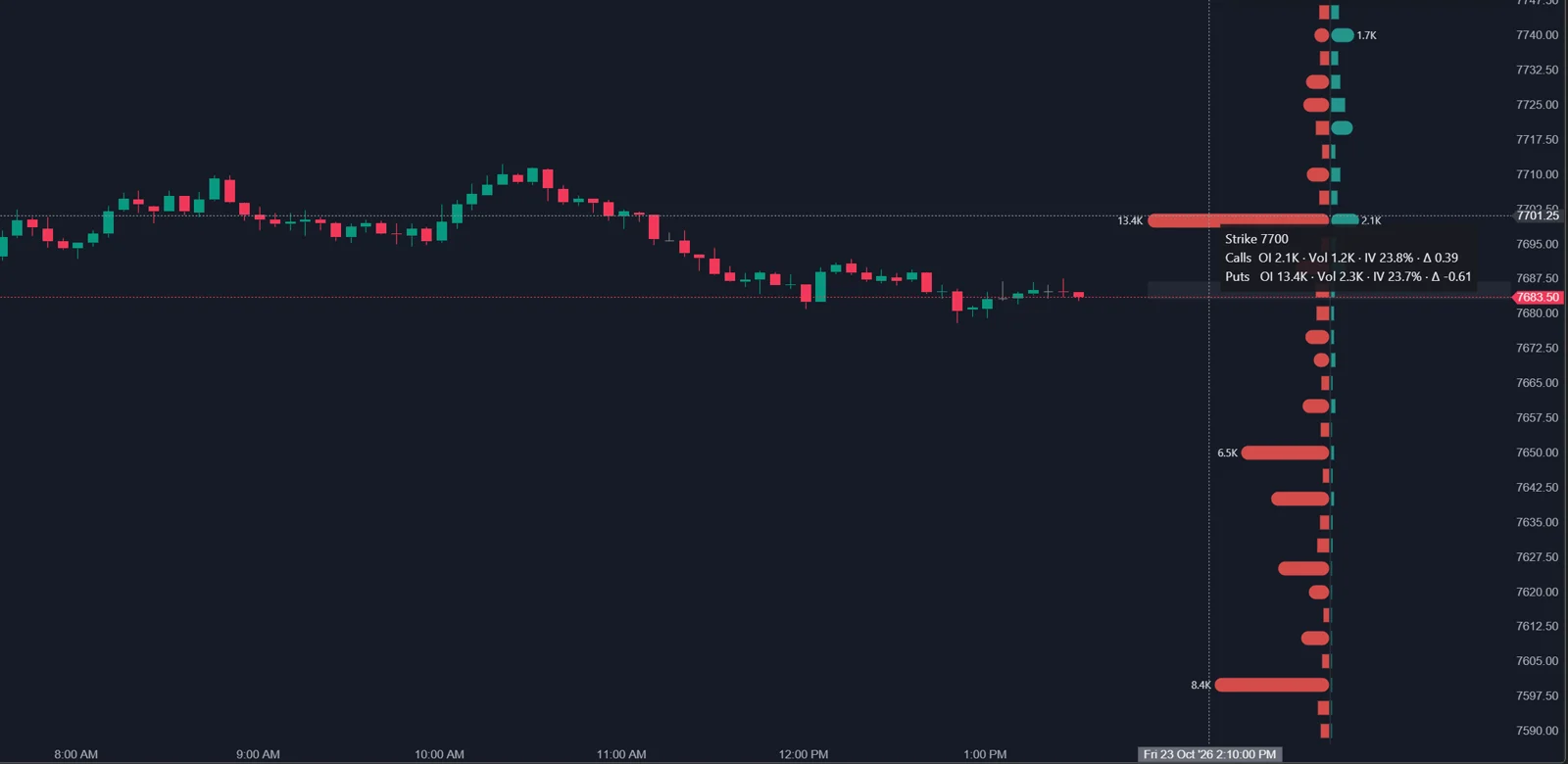
From practice: in the author's own setup in October 2026, the Options Chain indicators run in ATAS X and receive CME E-mini S&P 500 (ES) options through a Rithmic connection. This is the author's experience, not a statement from ATAS.
Which modes does it have?
| Mode | What it shows | Use |
|---|---|---|
| Open Interest | Accumulated open positions | Structural positioning |
| Day Volume | Contracts traded in the current session | 0DTE and intraday analysis |
| Net OI (Call - Put) | Difference between call and put open interest per strike | Which side dominates a strike |
The status chip can also show the put/call ratio for the selected source. ATAS reads a value above 1 as puts dominating and below 1 as calls dominating.
Which settings are available?
| Setting | What it does |
|---|---|
| Expiration | Auto (nearest) or a fixed date |
| Aggregate nearest series | Combines the nearest expirations into one view |
| Strikes per side | Range of strikes around price; wider takes longer to warm up |
| Wide range (sparse) | Wider range when several series share the quote budget |
| Histogram | Two-sided (mirrored) or one-sided from the chart edge |
| Position, Profile width %, Value labels | Placement, size and labels for the largest strikes |
| Colors, tooltip, status chip | Call and put colors and hover details |
What can open interest not tell you?
Who holds the positions, when they were opened, and what happened to them today.
- Side: an open contract has a buyer and a seller. A large call bar can be customers long calls or customers short calls; the profile looks the same.
- Timing: ATAS notes that open interest updates less frequently than price or day volume. It reflects the previous close.
- Same-day options: 0DTE contracts opened and closed today never appear in open interest. Use Day Volume to see them, knowing that volume has no direction.
- Coverage: only subscribed strikes are included. A gap in the profile is unknown, not zero.
- Weight: a far strike with many contracts carries little gamma. A long OI bar far from price can matter less for hedging than a shorter one near price.
ATAS makes the last point itself in its X-Ray documentation: open interest is a count of contracts, so a trader has to guess who holds the positions and how much they affect price. If you need the effect on hedging rather than the count, the GEX Profile adds gamma; on ES, X-Ray Strike Profile adds participant groups.
A practical consequence: the largest open interest strike and the call or put wall are often not the same strike. Open interest counts contracts; the walls weight them by gamma, which is larger for options near the money and close to expiration. When the two differ, the OI Profile tells you where positions sit, and the GEX Profile tells you where hedging is expected to matter most.
How do traders use the OI Profile?
- Before the session: note the largest call and put strikes near price in Open Interest mode.
- During the session: switch to Day Volume to see whether today's trading builds at the same strikes or somewhere else.
- Compare call and put areas around price instead of reading one large bar in isolation, as ATAS recommends.
- Near a large strike, read the footprint: does price slow down with absorption, or move through with initiative?
FAQ
Why does the OI Profile not change during the day?
Open interest updates once per day. Day Volume changes live; switch the mode to see intraday activity.
Is a put/call ratio above 1 bearish?
Not by itself. It says puts dominate the selected source. Puts are often bought as protection, so a high ratio can describe hedging rather than a directional bet.
Does the OI Profile work on NQ and crude oil?
Yes, if your Interactive Brokers or Rithmic connection delivers options data for that instrument. ATAS names ES, NQ, CL, GC and other CME futures.
Which Options X-Ray tool replaces the OI Profile on ES?
ATAS points to Options X-Ray: Strike Profile in Delta (DEX) mode, which shows positions in ES contract terms split by participant group.
This article is educational content, not financial advice.