

ATAS Options X-Ray Flow, Flow Delta and Big Trades Explained
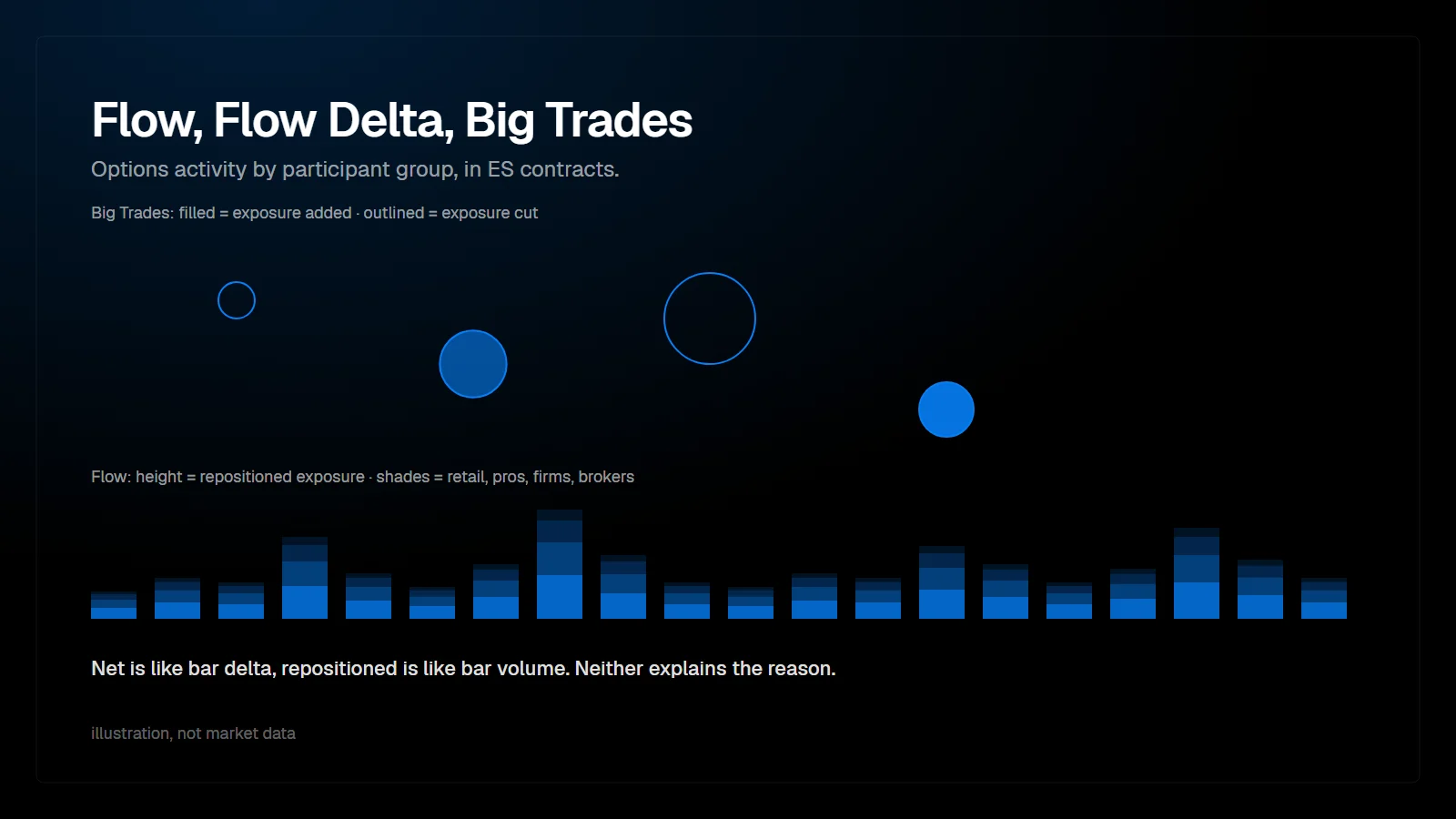
Flow, Flow Delta and Big Trades are the three Options X-Ray indicators for options activity. Flow works like volume: how much SPX options exposure was repositioned per bar and by which participant group. Flow Delta works like delta: in which direction positions shifted. Big Trades marks the largest position changes at their strike on the ES chart. All values are in ES contracts and update every minute.
Which question does each indicator answer?
| Indicator | Question | Similar to |
|---|---|---|
| Flow | How much exposure was repositioned during the bar, and by whom? | Volume |
| Flow Delta | In which direction did positions shift? | Delta |
| Big Trades | Who acted, at which strike, and by how much? | Big trades on the futures tape |
The three-step order is how ATAS presents the indicators.
Who are the participant groups?
| Group | Who they are, according to ATAS |
|---|---|
| Retail | Private traders; the largest group by number of participants |
| Pros | Professional clients: active traders and smaller funds too active to count as retail |
| Firms | Funds, proprietary trading firms and institutional clients, often large blocks and portfolio hedges |
| Brokers | Broker-dealers that are not acting as market makers |
| Market makers | The other side of the other groups' trades; hidden by default |
Market makers are hidden by default for a simple reason: they are usually the counterparty, so their net is close to the opposite of the other groups combined. Adding them to the same column would count each change twice. To understand who is taking risk, ATAS recommends focusing on the non-market-maker groups.
What is the difference between net and repositioned?
The core concept of all three indicators. Inside one bar, a group can add and reduce exposure several times.
| Value | Meaning | Similar to |
|---|---|---|
| net | Final result of the bar: how much the position increased or decreased | Delta of a bar |
| repositioned | Total amount moved in both directions, at least as large as the absolute net | Volume of a bar |
If net is close to repositioned, the group moved decisively in one direction. If net is much smaller, the group moved exposure back and forth with little final change. ATAS adds one limit: activity opened and closed within the same minute may not be visible, so real activity can be higher than shown, but not lower.
How do I read Flow?
One stacked column per chart bar below the chart. Height is total repositioned exposure, colored segments are the groups. A spike shows a bar with much more repositioning than usual, and its color tells you who created it. Flow does not show direction. Columns that are almost one color are common because retail creates much of the 0DTE activity; hiding Retail makes the other groups easier to see. Flow counts ES-equivalent position changes, so it will not match option tape volume.
How do I read Flow Delta?
Columns above zero mean positions shifted toward upside exposure, below zero toward downside exposure. Wicks show how far positions moved inside the bar before settling. By default Flow Delta combines Retail and Pros, which ATAS describes as often being on different sides: retail buying protection or cheap options, while professionals may sell them. Their balance shows the direction of demand.
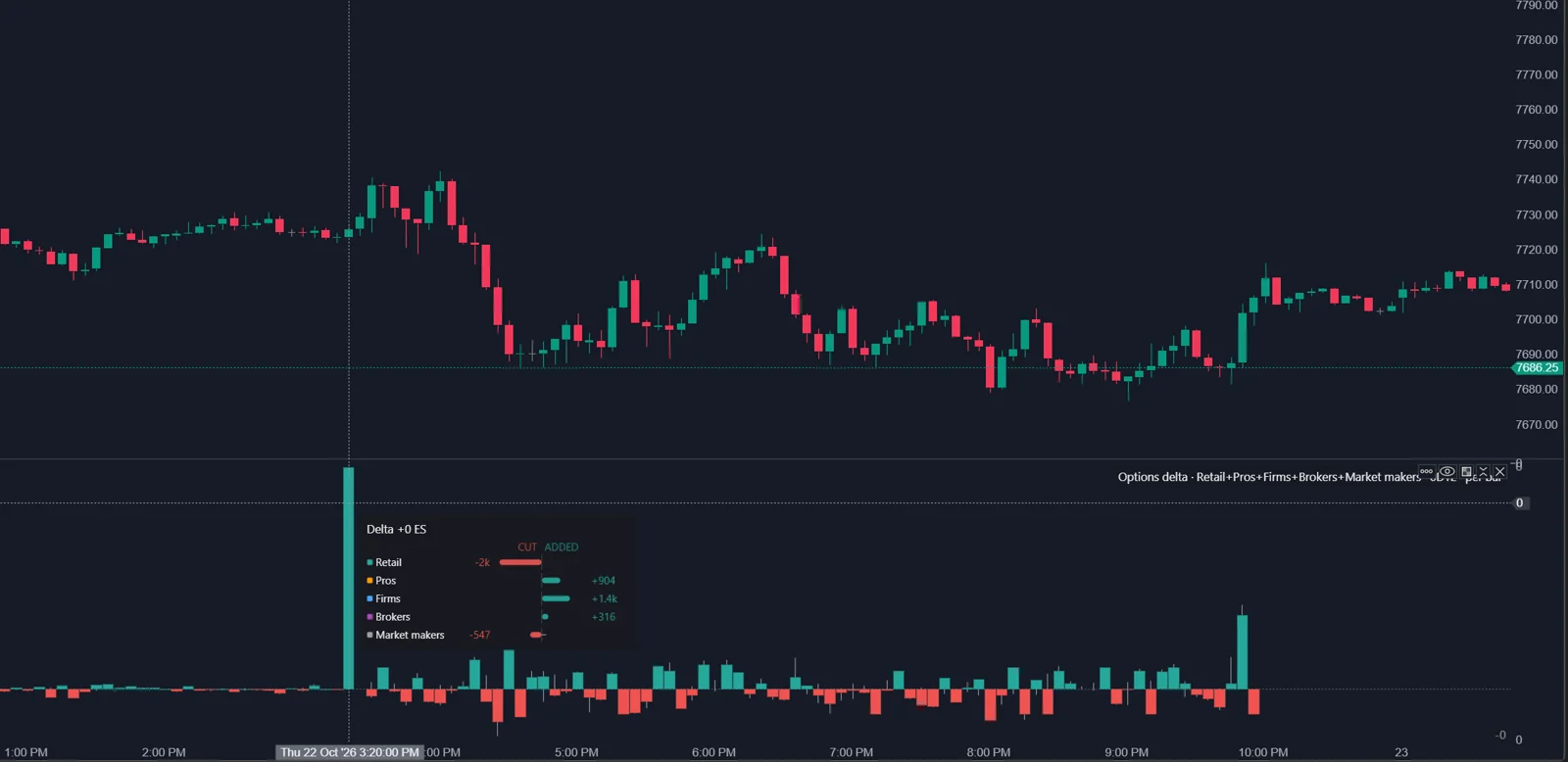
From practice: in the author's own setup in October 2026, the Options X-Ray indicators run in ATAS X. The ATAS help articles do not say which platform version they cover, so treat this as the author's experience.
- Per bar mode: where pressure is right now.
- Cumulative mode: who is winning for the session and when pressure started to reverse.
- Split modes: 0DTE against the next expiration, 0DTE against the rest of the week, or the week by day, each in its own color.
How do I read Big Trades?
Each bubble is one large position change by one group at one strike during one bar. Horizontal position is the bar, vertical position the strike mapped to the chart. Size is repositioned exposure, color the group. A filled bubble means the group added exposure by the end of the bar, an outlined bubble that it reduced exposure. By default only the top 2% of the session's changes are shown, a threshold calculated for the whole session so bubbles do not appear or disappear when you zoom.
ATAS is explicit about two limits. Big Trades shows changes, not the final position: a reduction can mean closing a position or building exposure the other way. And a bubble does not explain the reason: hedging, a directional trade or one leg of a multi-leg position look the same. The ES units are also an equivalent: Pros cut 150 ES means professionals changed exposure by the equivalent of 150 ES contracts, not that they sold ES futures.
Which settings matter?
| Setting | Default | Note |
|---|---|---|
| Expirations | 0DTE | Also next expirations, the full week or the monthly series |
| Flow basis | Adjusted | Use the same value in every X-Ray indicator you compare |
| Groups | Flow: all four client groups; Flow Delta: Retail and Pros | Market makers off in all three |
| Mode (Flow Delta) | Per bar | Or cumulative |
| Largest only, top % (Big Trades) | 2% | From 0.01% to 20% |
How do I combine them with the futures footprint?
- Find a spike in Flow and its color.
- Check Flow Delta: did that group push toward upside or downside exposure?
- Open Big Trades: at which strike, and was it added or cut?
- Read the footprint at that strike on the ES chart: does price react with absorption or initiative?
An options flow reading is a hypothesis about positioning. The futures tape shows whether anyone acts on it in the market you trade.
FAQ
Why does a large bubble show almost zero net?
Bubble size is repositioned exposure, not net. The group moved a lot but ended with little change.
Why do Flow Delta and Market State IMPULSE disagree?
Flow Delta defaults to Retail and Pros and 0DTE; IMPULSE in Market State includes all client groups and all expirations over 15 minutes.
Where does the participant classification come from?
ATAS describes the data as OptionsDepth analytics derived from Cboe market data that identify the participant group behind each trade. OptionsDepth states it uses participant-tagged exchange data.
Why did the picture change on a Friday morning?
On the third Friday, the monthly series can expire in the morning and 0DTE switches to the weekly series.
This article is educational content, not financial advice.