

ATAS Options X-Ray GEX Heatmap and Surface Profile Explained
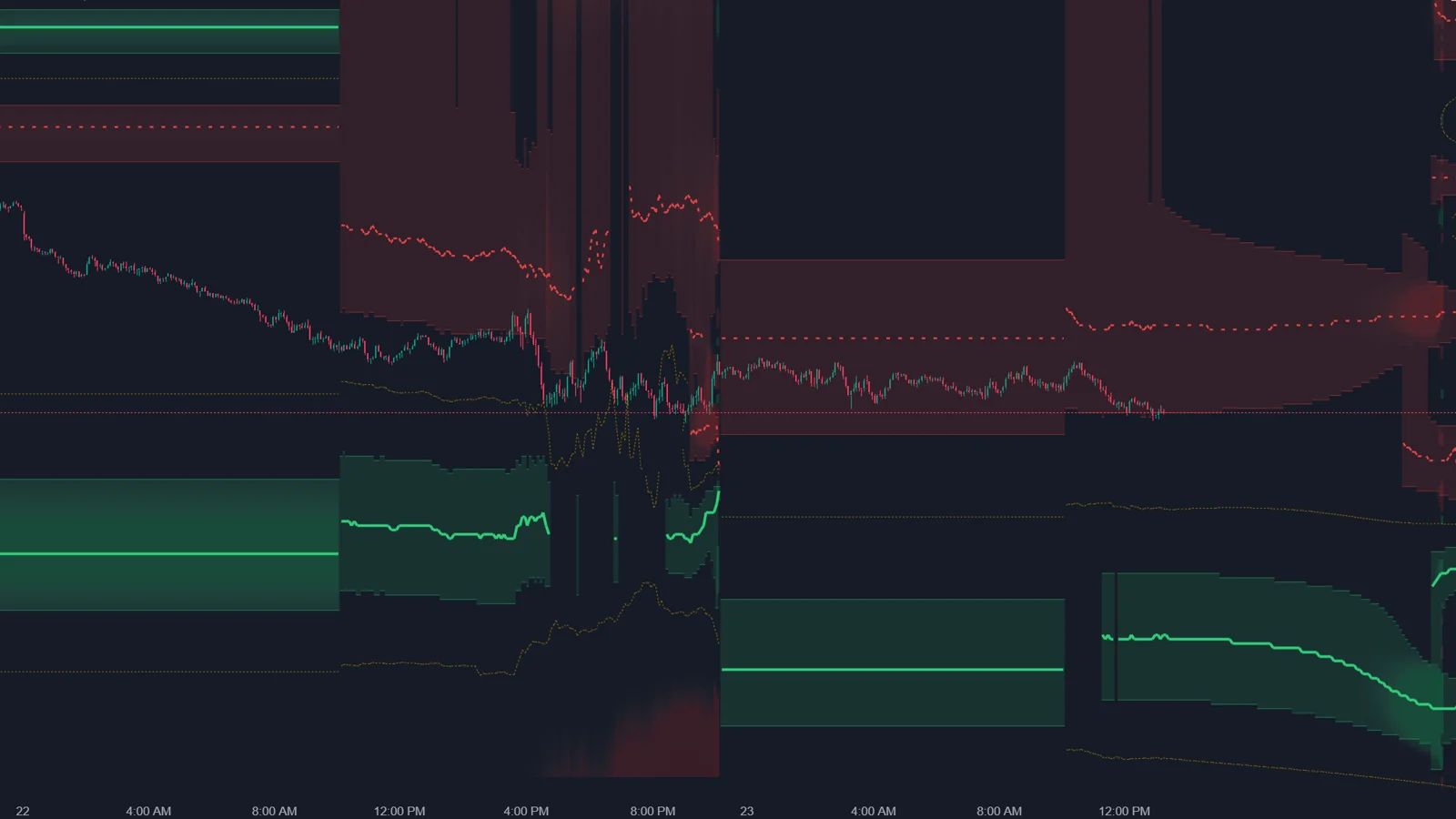
The Options X-Ray GEX Heatmap colors the ES chart behind the candles by whether market maker hedging is expected to damp or amplify price movement at each price and minute, with a regime boundary, wall zones and a forecast to the end of the session. Surface Profile shows the same forces as a histogram with numbers, and adds vanna, charm and a hedge response mode.
What does the GEX Heatmap show?
For every price level and minute: if price were here now, would hedging work against the move or with it, and how strongly?
| Regime | What market makers do | What happens to price |
|---|---|---|
| Damping | Trade against the move: sell when price rises, buy when it falls | Movement is absorbed; price often gets sticky near large levels |
| Amplifying | Trade with the move: sell when price falls, buy when it rises | Movement is reinforced; price can accelerate quickly |
Regime table as described by ATAS.
Brightness shows strength in ES contracts per point of movement. A dashed line marks the regime boundary, and wall zones with a line inside mark the strongest levels; a solid wall line tends to hold price, a dashed one tends to let it through. The map has no expiration selector: it uses all options together.
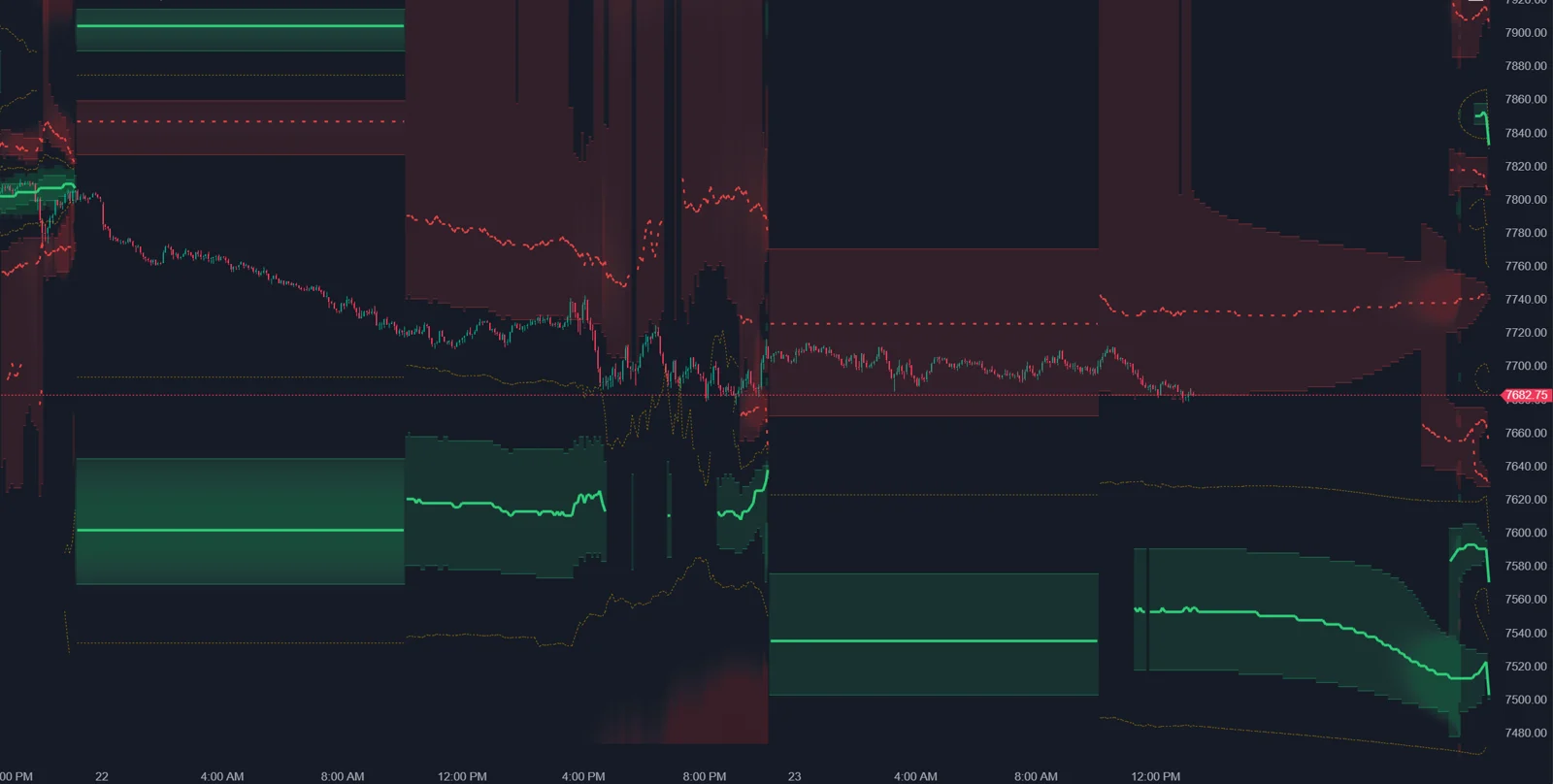
From practice: in the author's own setup in October 2026, the Options X-Ray indicators run in ATAS X. The ATAS help articles do not say which platform version they cover, so treat this as the author's experience.
What is the difference between history and forecast?
| Part of the map | What it shows |
|---|---|
| Behind the candles | What existed at that time, using positions from that minute; later forecasts are not inserted backward |
| Right of the last candle | A forecast to the end of the session if positions do not change, recalculated every minute |
| After the close | An outlook for the next session open |
This matters for honest review. The historical part is not repainted with hindsight, so you can check after the session whether price really slowed in dense damping areas. The forecast part is only valid as long as positions stay the same; the card marks it as forecast, not observed.
What does Surface Profile add?
Exact values at each price level for a selected moment, instead of brightness.
| Surface | What it shows |
|---|---|
| Gamma (GEX) MM | Where hedging may damp or amplify movement, in ES contracts per point (default) |
| Vanna (VEX) MM | Where market makers may need to trade futures if volatility changes |
| Charm (CEX) MM | Where market makers may need to buy or sell because time passes |
| Gamma: hedge response to a move | How much hedging accumulates if price moves up or down by a set number of points |
The hedge response mode splits each row into an upper half for an upward move and a lower half for a downward move. A long damping half above price and a short half below means price may become sticky on the way up and move more freely down. The response window defaults to 10 points with a minimum of 4, because levels are calculated in 2.5-point steps. You can view the profile for any bar, pin a bar with Ctrl and click, or move the cursor right of the last candle to see the forecast.
Which settings matter?
| Indicator | Setting | What it does |
|---|---|---|
| GEX Heatmap | Brightness, Contrast | How visible the map is behind candles and how strongly peaks stand out |
| GEX Heatmap | Regime boundaries | Shows the dashed boundary line |
| GEX Heatmap | Show walls, Wall sensitivity %, Wall zone % of peak | How many walls and how wide their zones are |
| Surface Profile | Surface | Gamma, vanna, charm or hedge response |
| Surface Profile | Response window, pts | Distance for the hedge response mode (default 10) |
| Surface Profile | Own vertical panel, Key level lines | Separate panel next to the candles; level lines on the chart |
Where does the model end?
- ATAS calls Surface Profile a calculated estimate of how market makers may trade based on current positions. The heatmap carries the same logic.
- The positions behind it are SPX options only, from OptionsDepth, according to ATAS.
- The ES contract numbers assume market makers hedge their delta in futures. Whether and when a hedge is executed is not observed.
- The map does not show direction. ATAS points to tape, clusters, delta, Flow Delta and Charm Heatmap for that.
How do I use the heatmap with order flow?
- Check which side of the regime boundary price is on.
- Find the nearest walls and where they move in the forecast part.
- Near a damping wall, expect price to get sticky; Big Trades can show whether someone builds exposure for a breakout.
- When price crosses into the amplifying side, expect sharper movement and read the footprint for initiative.
- Use Surface Profile in hedge response mode to see which direction is easier from here.
FAQ
Why do the walls and the boundary move?
Positions change during the day and the map is recalculated every minute. ATAS calls this expected.
Why does it differ from GEX maps on other websites?
ATAS notes that many similar maps are built once per day from yesterday's data, while this one includes intraday position changes.
Is there a vanna heatmap?
No. Vanna is available in Surface Profile, Strike Profile and Strike Heatmap, but has no separate map.
Does the GEX Heatmap work on NQ?
No. For CME futures other than the S&P 500 family, ATAS points to the Options Chain GEX Profile.
This article is educational content, not financial advice.