

Futures Trading Journal: What to Track and How to Review
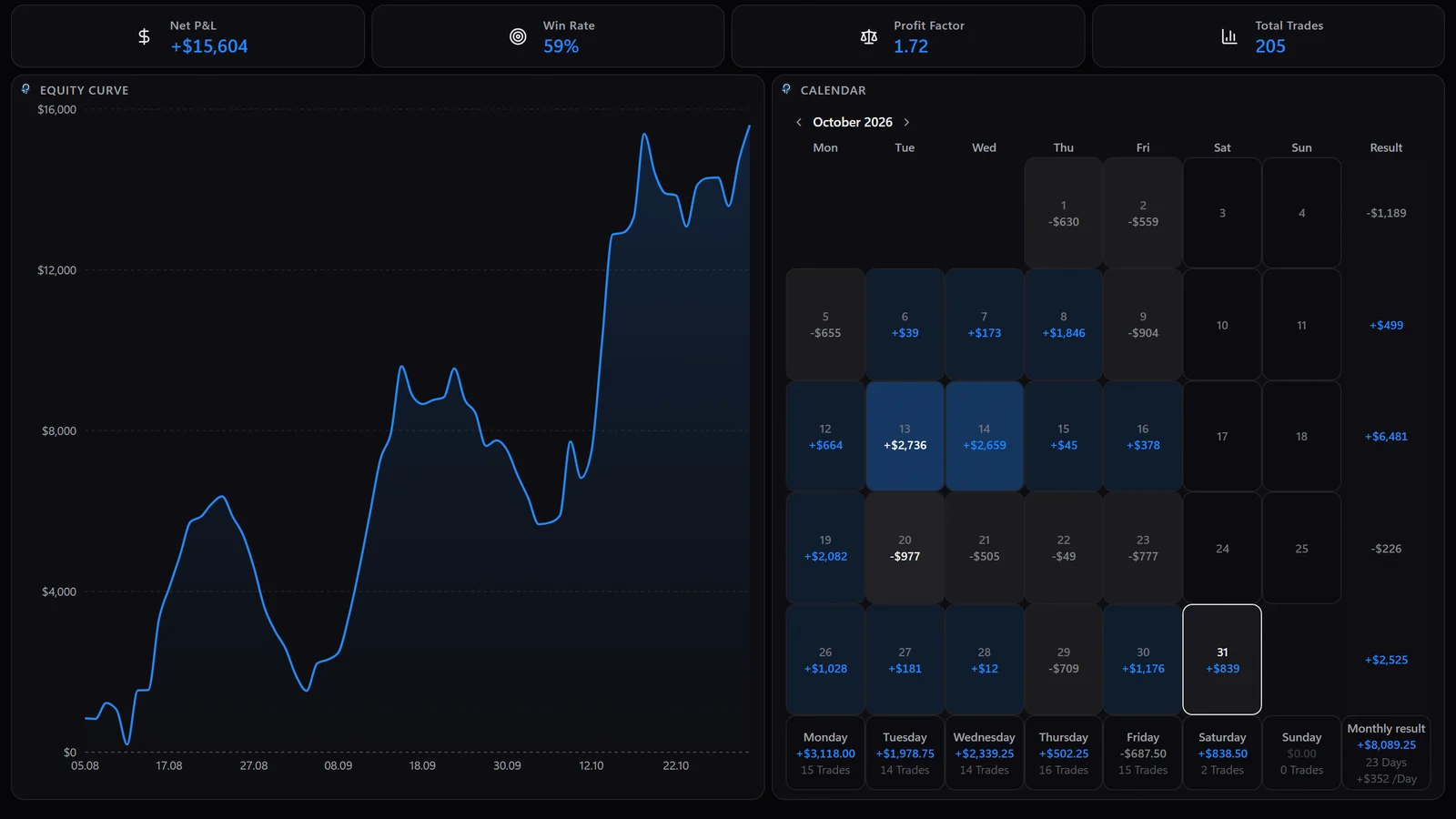
A futures trading journal is a record of every futures trade with the details that only futures have: the contract and its month, the tick value, the number of contracts, the fees per round turn and the session. Add your setup, your stop, MAE and MFE and, for funded accounts, the prop firm rules, and the journal can tell you where your results come from.
What is a futures trading journal?
A structured log of your trades that you can sort, filter and count.
A diary describes how a day felt. A journal stores the same fields for every trade, so a hundred trades can be compared with each other. Which setup earns money, at what time of day, in which contract, and how much of the gross result disappears in fees: these questions only have answers when every trade was recorded the same way.
Why do futures need their own journal?
Because a point is not a dollar, and every contract converts it differently.
A stock journal can work with share price and share count. Futures move in ticks, and each contract has its own tick size and tick value. Two ticks on ES and two ticks on MES look identical on the chart, yet one is worth ten times the other. Add contract months that roll over, commissions charged per contract, overnight sessions and prop firm drawdown rules, and a generic journal starts to report numbers that are technically correct and practically useless.
| Contract | Tick size | Tick value | Micro version |
|---|---|---|---|
| ES (E-mini S&P 500) | 0.25 index points | $12.50 | MES: $1.25 per tick |
| NQ (E-mini Nasdaq-100) | 0.25 index points | $5.00 | MNQ: $0.50 per tick |
| YM (E-mini Dow) | 1 index point | $5.00 | MYM: $0.50 per tick |
| RTY (E-mini Russell 2000) | 0.10 index points | $5.00 | M2K: $0.50 per tick |
| CL (Crude Oil) | $0.01 per barrel | $10.00 | MCL: $1.00 per tick |
| GC (Gold) | $0.10 per ounce | $10.00 | MGC: $1.00 per tick |
Tick size and tick value of common CME Group futures, per contract. Check the exchange contract specifications before you rely on them.
What should you record for every futures trade?
Execution, risk, costs, context, setup and excursion. Leave one group out and a whole class of questions becomes unanswerable.
| Field | Example | Why it matters |
|---|---|---|
| Contract and month | ESZ6, MNQZ6 | Separates instruments and keeps rollovers from mixing two contracts into one series |
| Side and contracts | Long, 2 contracts | Position size drives both the dollar result and the fees |
| Entry and exit, with time | 5000.00 at 09:41, 5006.00 at 10:02 | Holding time, time of day and every scale-in or partial exit |
| Initial stop and target | Stop 4996.00, target 5008.00 | Defines planned risk in ticks, the basis for R |
| Tick value | $12.50 | Converts ticks into dollars correctly for each contract |
| Fees per round turn | Commission plus exchange and regulatory fees | Net P&L, the only number your account sees |
| Session | New York cash session, London, overnight | Shows when your edge exists and when it does not |
| Setup tag | Absorption at value area high | Lets you compare setups instead of days |
| Rules followed | A short checklist per setup | Separates a bad setup from a good setup traded badly |
| MAE and MFE | Minus 6 ticks, plus 30 ticks | Shows whether stops or exits are the problem |
| Account | Prop evaluation 50K, live account | Keeps funded and personal results apart and tracks rule limits |
| Screenshot and note | Chart at entry, one sentence of reasoning | What you saw, recorded before you knew the outcome |
The fields of a futures trading journal and the question each one answers.
Which fields can wait?
Emotion scores, market regime labels and long written reviews are useful, but they are the first thing traders stop filling in. Start with the fields above, keep them complete for a month, and add more once the basic record is a habit. A short journal that is complete beats a detailed one with gaps.
How do you calculate P&L in ticks, dollars and R?
Ticks times tick value times contracts, minus fees, divided by the planned risk.
Example with two ES contracts: long at 5000.00, initial stop at 4996.00, exit at 5006.00. The stop is 4 points away, which is 16 ticks. The exit is 6 points, or 24 ticks, in profit. The fee of $4.50 per contract per round turn is an assumption for the example; your broker and data plan decide the real number.
| Step | Calculation | Result |
|---|---|---|
| Planned risk | 16 ticks x $12.50 x 2 contracts | $400 |
| Gross P&L | 24 ticks x $12.50 x 2 contracts | $600 |
| Fees | $4.50 x 2 contracts | $9 |
| Net P&L | $600 minus $9 | $591 |
| Result in R | $591 divided by $400 (risk measured in price, fees left out) | 1.48 R |
Worked example: 2 ES contracts, tick value $12.50, assumed fees of $4.50 per contract per round turn.
R makes trades comparable across contracts and position sizes. A 1.5 R winner on one MES contract and a 1.5 R winner on three ES contracts are the same decision quality, even though the dollar results are far apart. Record R from the stop that was in place at entry, not from a stop moved later, or the statistic flatters every trade.
What are MAE and MFE, and why do they matter?
They measure how far a trade went against you and in your favor while it was open.
MAE, the maximum adverse excursion, is the worst point of the trade. MFE, the maximum favorable excursion, is the best point. Measured in ticks they answer two questions a P&L column cannot. If your winners regularly sit at an MAE close to the stop, the stop is tight for the setup. If your MFE is often two or three times your realised gain, the exits leave money on the table.
A useful derived number is exit efficiency: realised ticks divided by MFE ticks. A trade that ran 30 ticks in your favor and was closed at 24 ticks has an exit efficiency of 80 percent. Look at the average across one setup rather than at single trades. What happened after the exit is the second half of the question: if price keeps running in your direction after most exits, the exit rule is the thing to work on.
One limitation is worth knowing: a fill export from a broker contains fills, not the price path in between. MAE and MFE need price data for the time the trade was open, so a journal can only show them if it recorded the trade live or has the bars for that period.
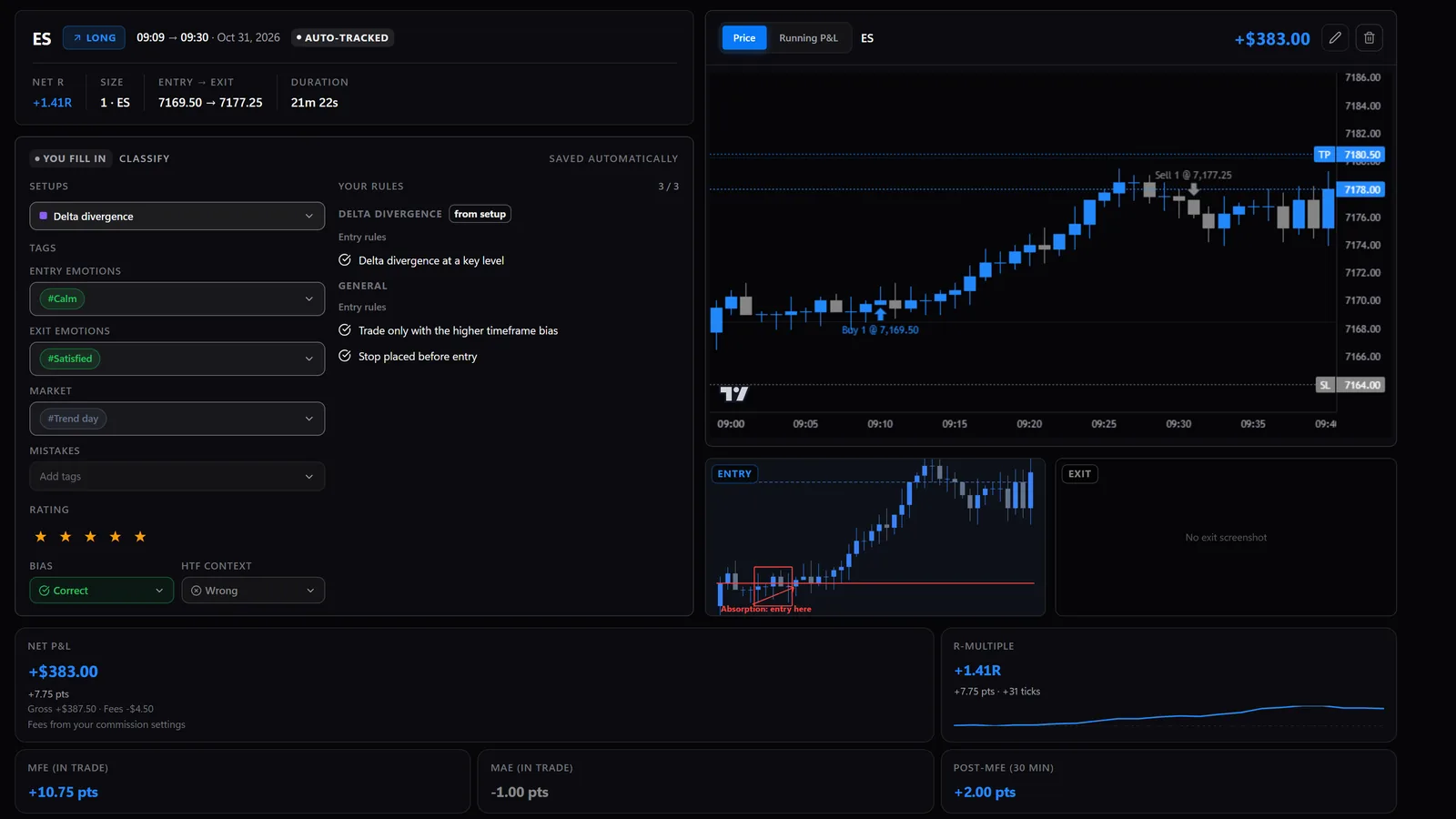
Which statistics should you review?
Few, and always split by setup, session and contract.
| Statistic | How it is calculated | What it tells you |
|---|---|---|
| Win rate | Winning trades divided by all trades | Only meaningful next to the average win and loss |
| Average win and average loss | Net P&L of winners and losers, each averaged | Whether winners pay for losers |
| Profit factor | Gross profit divided by gross loss | Above 1 means the sample made money, as long as both sides are counted after fees |
| Expectancy | Win rate x average win minus loss rate x average loss | What one trade is worth on average, in dollars or in R |
| Maximum drawdown | Largest drop from an equity peak | How deep the bad stretches go, which matters for prop rules |
| Fees share | Total fees divided by P&L before fees | How much of the edge the costs eat, critical for scalpers |
| Results by session | Any of the above per time window | When to trade and when to stay flat |
| Results by setup | Any of the above per setup tag | Which setups to keep, fix or drop |
Core statistics of a futures trading journal.
Small samples mislead. Twenty trades of a setup can show a high win rate by chance; judge a setup after a few dozen trades taken under the same rules, and treat the first numbers as a direction, not a verdict.
How should prop firm traders journal?
Per account, with the rule limits next to the results.
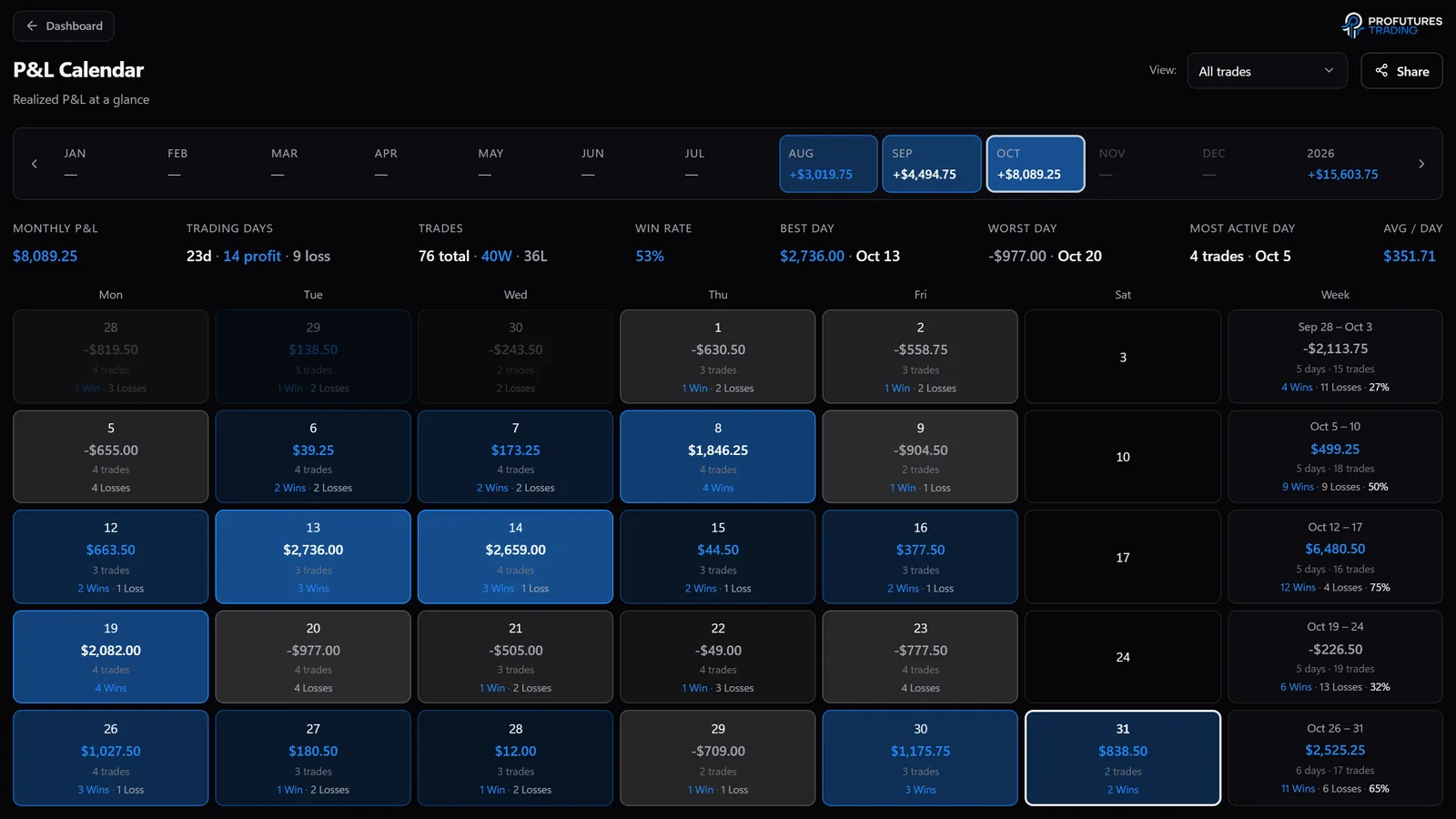
In a funded or evaluation account, the question is not only whether you made money but how close you came to a rule. A journal for prop trading keeps each account separate and records the account size, the drawdown type, the remaining drawdown buffer, the daily loss limit where the firm sets one, the distance to the profit target and, if the firm has one, the consistency rule. Fees and payouts per firm complete the picture, because evaluation and activation costs belong in the net result.
| Field | Why it matters |
|---|---|
| Drawdown type | End of day and intraday trailing drawdown react very differently to a winning trade that reverses |
| Remaining drawdown buffer | The number that ends the account when it reaches zero |
| Daily loss limit | Where the firm sets one, it caps a single session independently of the drawdown |
| Best day vs. total profit | Needed for consistency rules before a payout |
| Fees and payouts per firm | Shows whether prop trading is profitable after evaluation costs |
Prop firm fields to add to a futures journal.
How do trades get into a futures journal?
By hand, by file import, or live from the trading platform.
| Method | Effort | What it can contain |
|---|---|---|
| Manual entry | Every field typed after the session | Whatever you remember; errors in prices and fees are common |
| File import | Export fills from the platform or broker, import them | Fills, times and quantities; usually no price path, so no MAE or MFE without extra data |
| Live capture | A module in the platform sends each trade as it happens | Fills plus stops, screenshots and the price path while the trade was open |
Three ways to fill a futures journal.
Which route is available depends on the platform. Order flow platforms such as ATAS, NinjaTrader and Sierra Chart can run add-ons on the chart, which makes live capture possible. Platforms that only offer a trade history export are covered through a generic CSV import. Whatever the route, check that each trade arrives once, with the right contract and the right number of contracts, before you trust any statistic built on it.
How do you review a futures journal each week?
On a fixed day, with the same steps, in under an hour.
- Check completeness first: every trade has a setup tag, a stop and a note. Fix gaps before reading any number.
- Read the week by setup: net P&L, expectancy in R and the number of trades per setup.
- Look at MAE and MFE for the setup you trade most: are stops or exits the weaker part?
- Split by session and find the time window that cost money.
- Count rule breaks and what they cost, separately from losses taken within the rules.
- For prop accounts, compare the remaining drawdown with the size of your usual losing streak.
- Write one change for next week. One, not five, so you can tell whether it worked.
Spreadsheet or journal software?
A spreadsheet works until the bookkeeping takes longer than the review.
| Spreadsheet | File-import journal | Live-capture journal | |
|---|---|---|---|
| Setup | Build your own columns and formulas | Account and import format | Install a platform module |
| Daily effort | Highest: every trade by hand | An export and an import | Lowest: trades arrive by themselves |
| Tick value and fees | Formulas you maintain per contract | Usually built in; check how fees are entered | Usually built in; check how fees are entered |
| MAE and MFE | Only if you note them by hand | Depends on available price data | Recorded while the trade is open |
| Notes during the trade | Possible, but in a separate window | Usually added afterwards | Possible while the position runs |
| Control and cost | Full control, no cost | Depends on the product | Depends on the product |
Spreadsheet, file-import journal and live-capture journal compared in general terms.
For a comparison of specific journal products on ATAS import, live capture, screenshots and AI access, see our separate comparison article linked below.
How does PFT-EdgeBook handle a futures journal?
It records trades live from the platform and keeps the futures details with each trade.
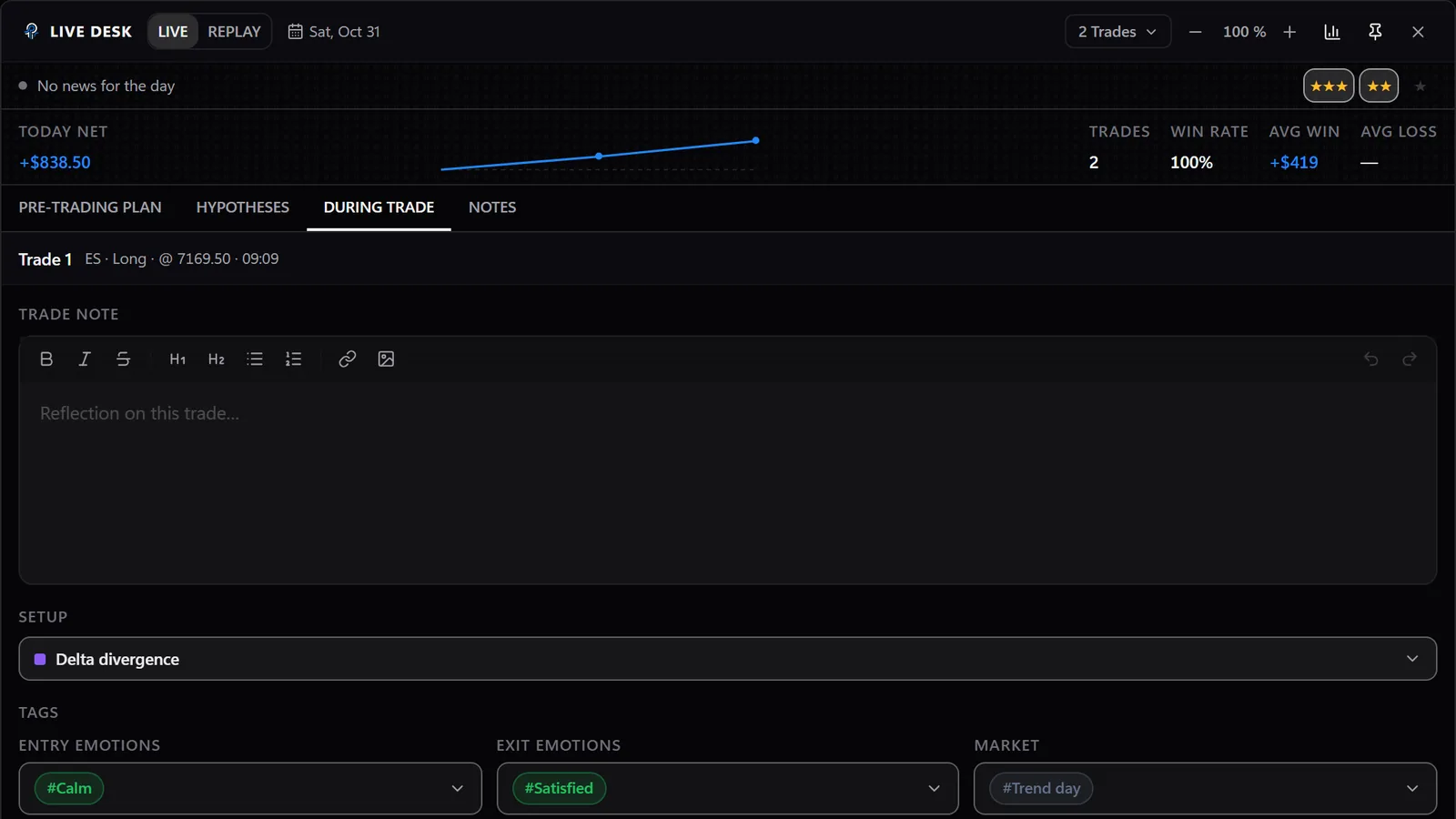
PFT-EdgeBook is the journal inside the PFT Terminal, a desktop app for Windows; a Mac version is coming. The PFT EdgeBook Bridge runs as a module inside ATAS, ATAS X, NinjaTrader and Sierra Chart and sends every closed trade to the journal with entry, exit, the stops you set and moved, screenshots at entry and exit and the running P&L. For trades recorded this way, the terminal shows MAE and MFE, including what happened after the exit. Other platforms come in through CSV import, and past trades can be read directly from the ATAS trade history; those history imports carry no price data, so they have no chart, screenshots or MAE and MFE.
- Live Desk: a window next to your charts for notes, screenshots, setup rating and tags while the position is still open.
- Dictation: speak a note instead of typing it; it is transcribed on your own machine.
- Prop firm tracker: drawdown buffer, distance to the profit target and remaining daily loss per account, plus fees, payouts and net P&L per firm.
- Local-first: the journal lives in a database on your computer, and cloud sync is optional.
- Standalone: no ATAS licence is needed for the terminal itself, but the bridge runs inside ATAS, so you need an ATAS account to use it.
The terminal is free, with no trial and no credit card. Add-ons such as the rAI coach or the MCP connection for your own AI are optional and bought separately inside the terminal.
What are common futures journaling mistakes?
- Recording gross instead of net P&L, which hides what fees cost, especially for scalpers trading many contracts.
- Mixing micro and full-size contracts in one statistic without converting to R.
- Calculating R from a stop that was moved after entry.
- Writing the note after the trade closed, when the outcome already colours the reasoning.
- Tagging setups loosely, so that one tag ends up covering three different ideas.
- Merging prop evaluation, funded and personal accounts into one equity curve.
- Changing several things at once after a bad week, so no change can be judged.
FAQ
What should a futures trading journal include?
Per trade: contract and month, side, number of contracts, entry and exit with times, initial stop, tick value, fees, session, setup tag, rules followed, MAE and MFE, the account and a screenshot with a short note.
Why does tick value belong in the journal?
Because the same move in ticks is worth different amounts in different contracts. Without the tick value, ES, MES, NQ and CL results cannot be added up or compared correctly.
Can I use a spreadsheet as a futures trading journal?
Yes. It needs a tick value per contract, a fee column and formulas for net P&L and R. It becomes hard to keep complete with many trades per day, and it cannot record MAE and MFE unless you note them yourself.
Is there a free futures trading journal?
Yes. A spreadsheet is free, and PFT-EdgeBook, the journal inside the PFT Terminal, is free as well, with no trial and no credit card.
How do prop firm traders track drawdown in a journal?
By keeping each account separate and recording the drawdown type, the remaining buffer and the daily loss limit after every closed trade, so a losing streak can be compared with the room the account still has.
How often should I review my futures journal?
A short check after each session for completeness, and a full review once a week. Setup decisions need a few dozen trades, not a few days.
Does a trading journal make me profitable?
No tool can promise that. A journal shows what you actually do, so you can change the parts that cost money.
This article is educational content, not financial advice.